Operating Instructions
Store a trace
A scanned trace can be stored for later recall:
1) Press the SCAN button. The Scan and Trace menu appears.
2) Press the SELECT button until the saved trace to be stored is selected.
3) Select the Save option from the menu.
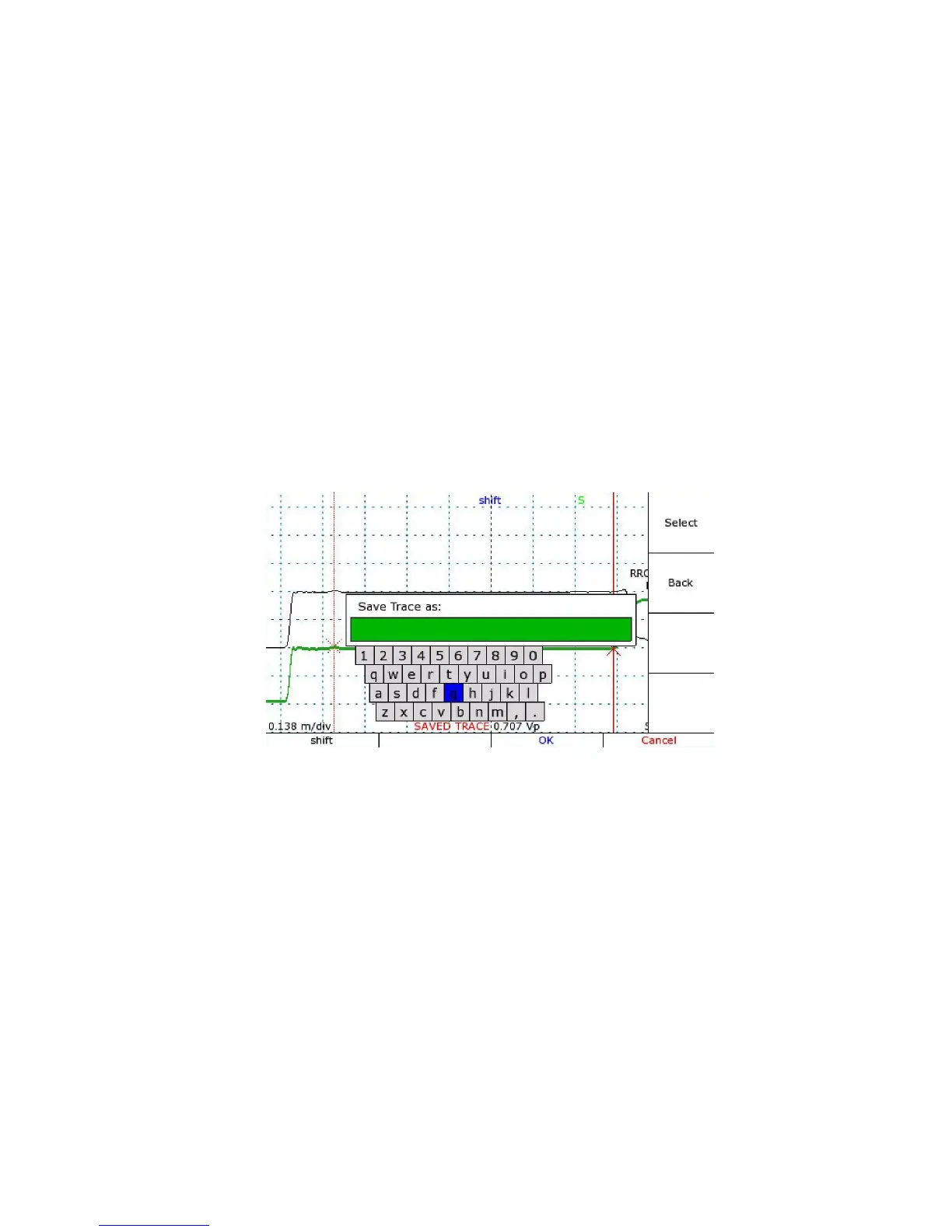
4) The CT100 requires a name for storage and will prompt you for one with a dialog box.
5) A dialog menu appears. Choose the menu option to show the on-screen keyboard.
6) Use the M-FUNCTION knob and the Keyboard menu to select letters and numbers. See
Figure 14. Also see Navigating dialog boxes on page 15 for more information on using the
Keyboard menu. Press the Select option to enter the highlighted letter into the name.
7) Press the OK option from the menu when finished.
The trace is now stored, and can be recalled later by name under Cable Records.
An FFT trace can also be stored with the same process. However, be sure to select the base
trace scan, not the FFT trace, before storing.
Mohr CT100 / CT100HF Operator's Manual 43
Figure 14: Saving a trace. The software keyboard is being used to
enter a name for the scanned trace in red on the screen.
Alternatively, an external USB keyboard or barcode reader can be
used to enter information.



 To Next Page