Operating Instructions
Load a trace (cable records)
Cable records describe configurations used to test individual cables with the CT100. A cable
record stores the Vp, tester configuration, and the scanned trace from a test of an individual
cable. Use of cable records helps ensure that multiple tests of the same cable use the same
tester configuration and Vp value. Cable records do not load calibration values but use the
current set values.
A stored trace can be loaded back to the screen:
1) Press the LIBRARY button. The Library menu appears.
2) Select the Cable Records option. An interface appears for the selection of a stored trace.
3) Use the M-FUNCTION knob and the menu keys to select the trace to load.
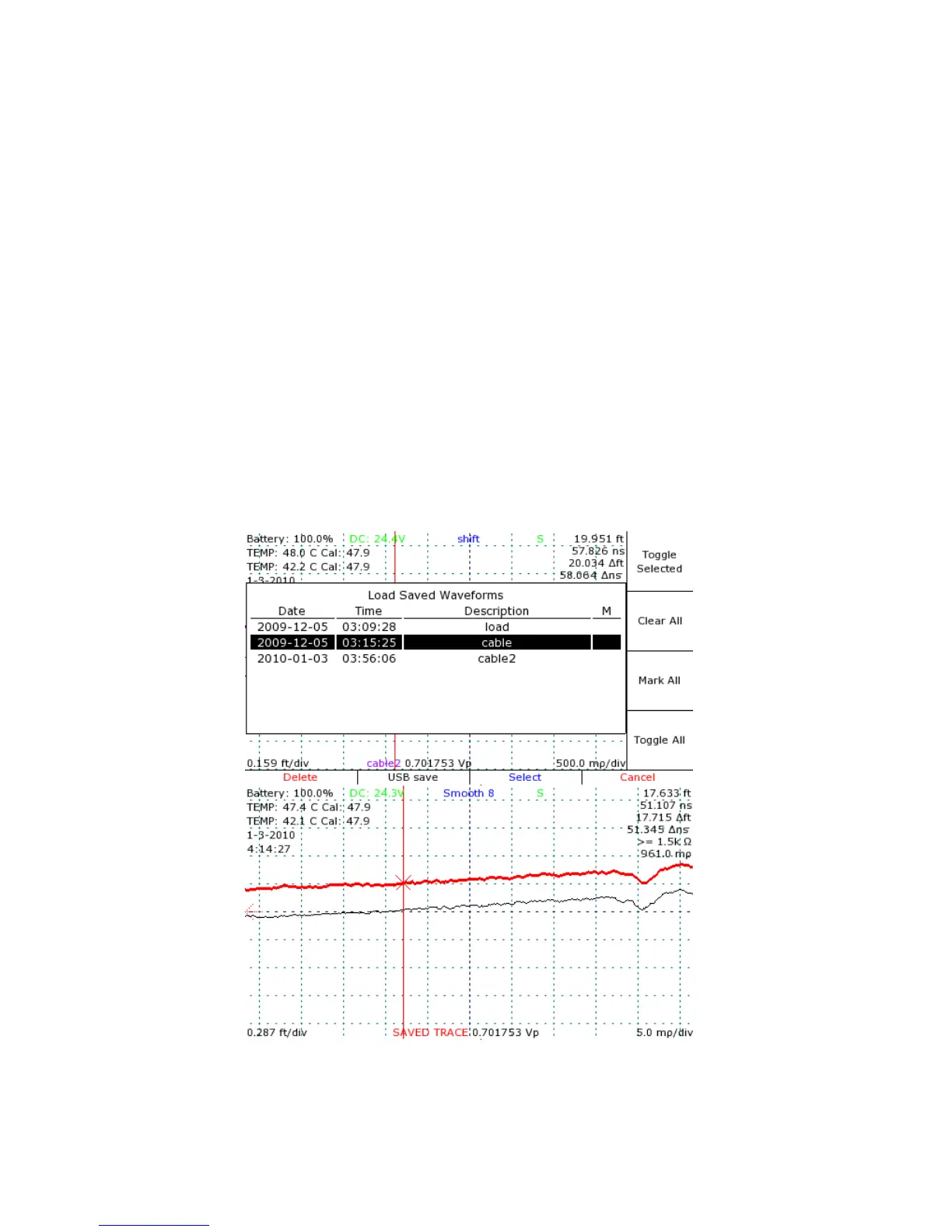
4) Press the selected menu option to load the trace. See Figure 15.
The stored trace now appears on the screen. It can be selected and manipulated the same as
any scanned trace.
44 Mohr CT100 / CT100HF Operator's Manual
Figure 15: Loading a trace. The loaded trace (bold) has been
translated slightly upward using the VERTICAL POSITION knob in
order to improve visualization.



 To Next Page