Appendix D: Calibration Procedures
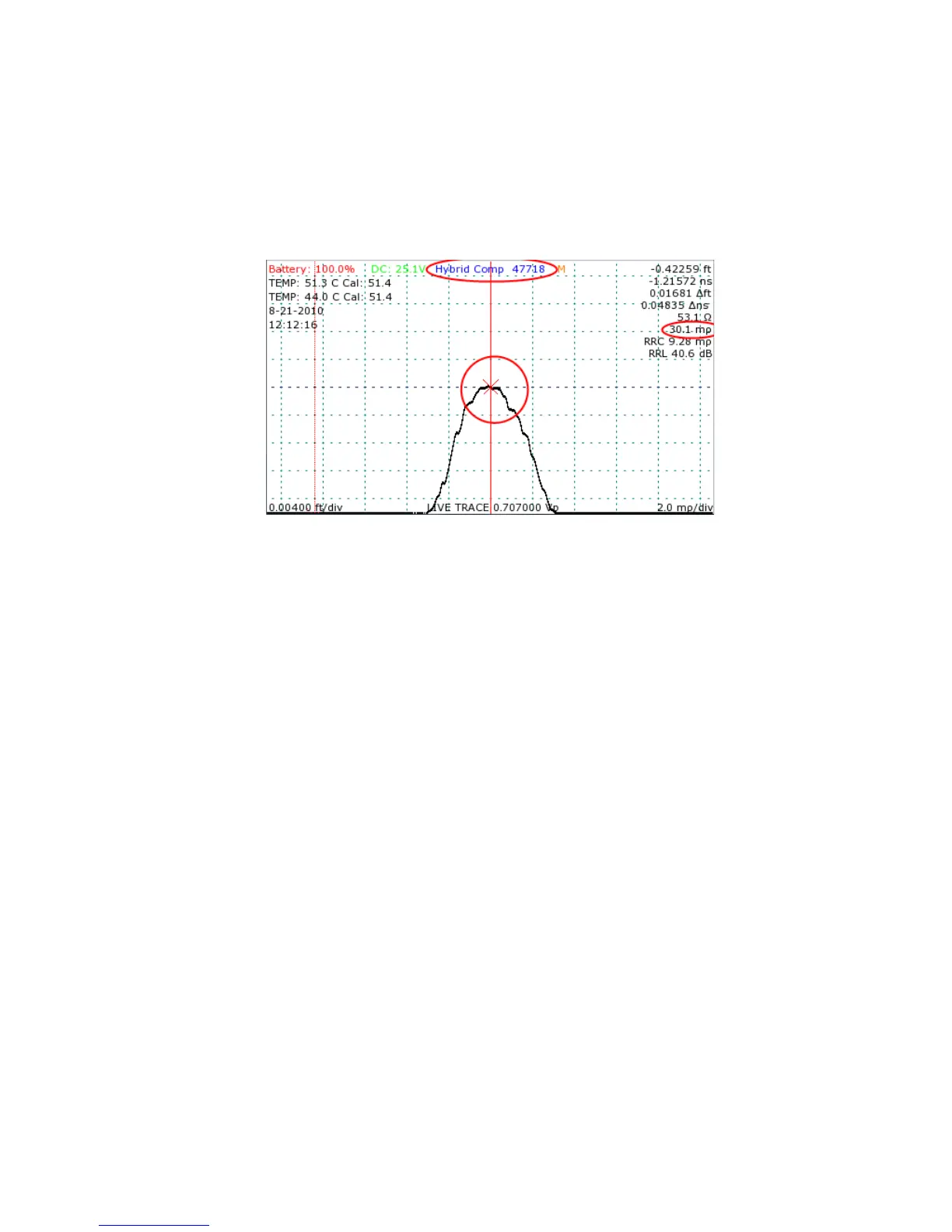
Notice that the reflection coefficient indicated on the screen changes from 30.1 to 29.0
between open and short (Figures 30 and 32) for a difference of 1.1mρ, an acceptable
variation.
Steps 1 through 7 must be carried out separately for short, medium, and long cable length
settings.
Enable temperature adjustment
Enable temperature adjustment
Before finalizing calibration, automatic temperature adjustment should be re-enabled. To re-
enable temperature adjustment from the Main menu:
1) Enter the Calibration submenu by selecting the Calibration menu option.
2) Select the Temperature Adjustment menu item to enable temperature adjustment. When
temperature adjustment is enabled, the menu item will be bracketed by asterisks (*).
Horizontal calibration
Horizontal calibration
Horizontal calibration sets the start position for distance measurements. For precise
measurements it is extremely important to perform horizontal calibration as accurately as possible.
To horizontally calibrate the CT100:
1) Connect the shorting cap to the front panel cable connector.
2) Set smoothing to 64 frames.
3) Position one cursor immediately before the falling edge of the live internal cable trace.
Mohr CT100 / CT100HF Operator's Manual 87
Figure 32: Hybrid Comp adjustment with the shorting terminator
and the cursor at the rising edge. The Hybrid Comp value has
been changed so that the reflection coefficient of the trace is
unchanged whether or not the port condition is short or open.



 To Next Page