STAR™ 3000 / eNode3000 User Manual
www.mojix.com
(877) 886-6549
Figure 31: Adobe Flash Player Download Dialog Box
(5) Click on the Save File radio button and then click the button.
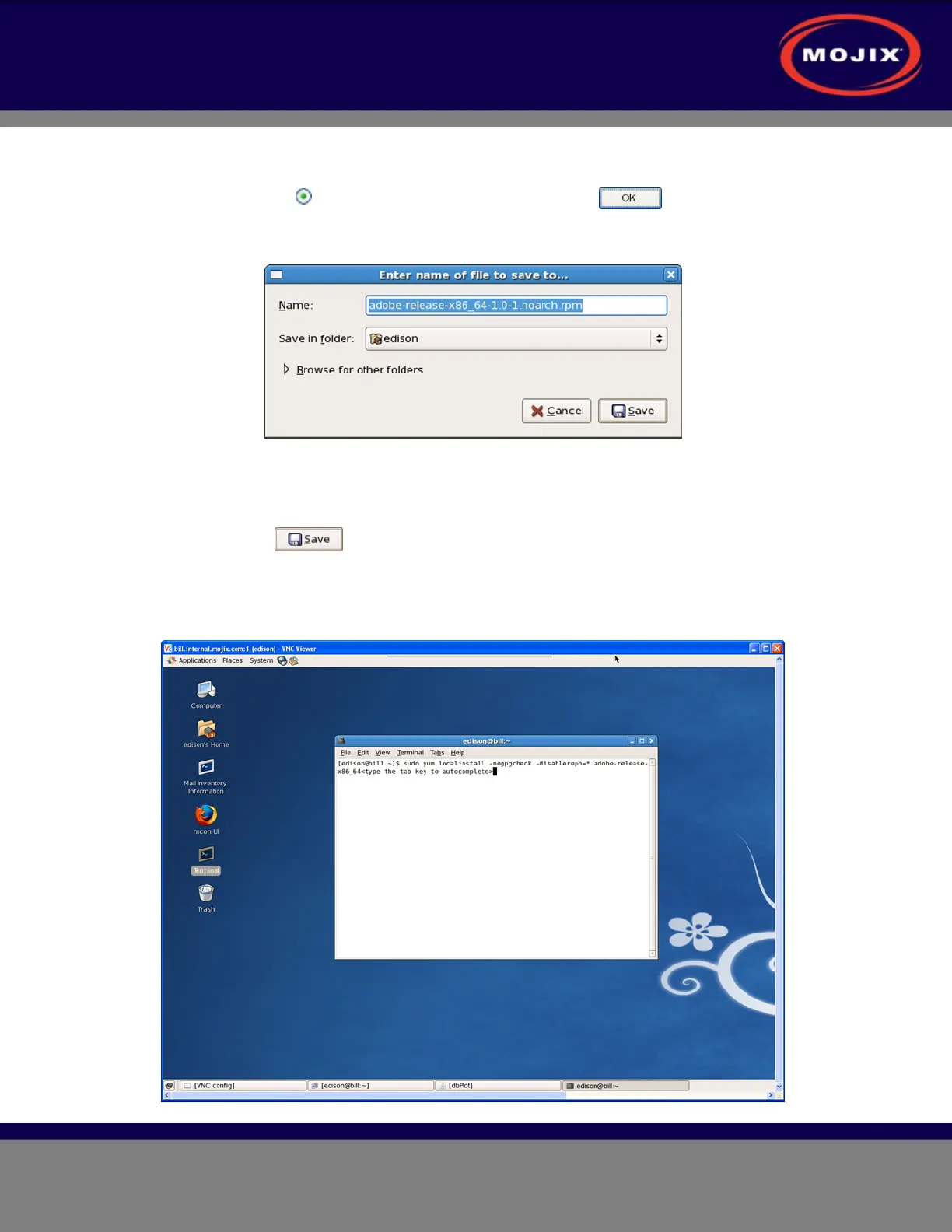
(6) A dialog box appears providing the ability to save the file to a directory location (example
shown below).
Figure 32: Save File Dialog Box
(7) This will save the file to the default location where your files are saved. NOTE: You must
save the downloaded file to the /home/edison directory.
(8) Click the button.
(d) Open a terminal session on the MCON desktop (example shown below) and type the following:
sudo yum localinstall –nogpgcheck –disablerepo=* adobe-release-x86_64<type the tab
key to autocomplete>



 To Next Page