STAR™ 3000 / eNode3000 User Manual
www.mojix.com
(877) 886-6549
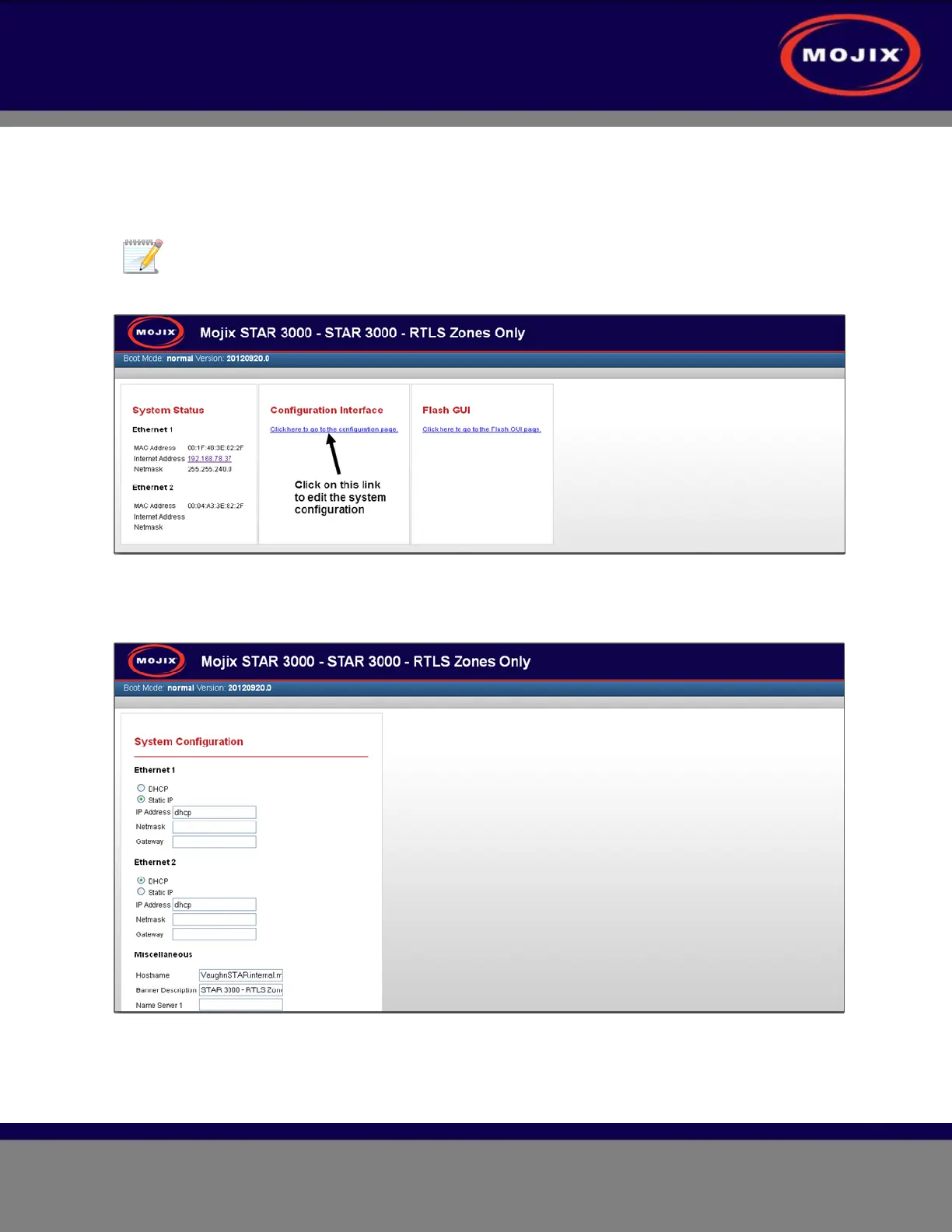
6. The STAR 3000 Web UI Network Setup page appears (example shown below).
The default IP address of 169.254.1.10 will be active for only 10 minutes after initial power
up of a STAR 3000. This address can be used when you do not know the IP address of
your specific unit. You will need to enter the IP address of the STAR 3000 currently in use
to display this web interface again.
Figure 36: STAR 3000 Web UI Network Setup Page
7. Click on the Configuration Interface hyperlink. The System Configuration page appears (example
shown below).
Figure 37: STAR Web UI Network Configuration Page
8. Select the desired IP settings for Ethernet 1.



 To Next Page