Page 103 of 110
Rev. G
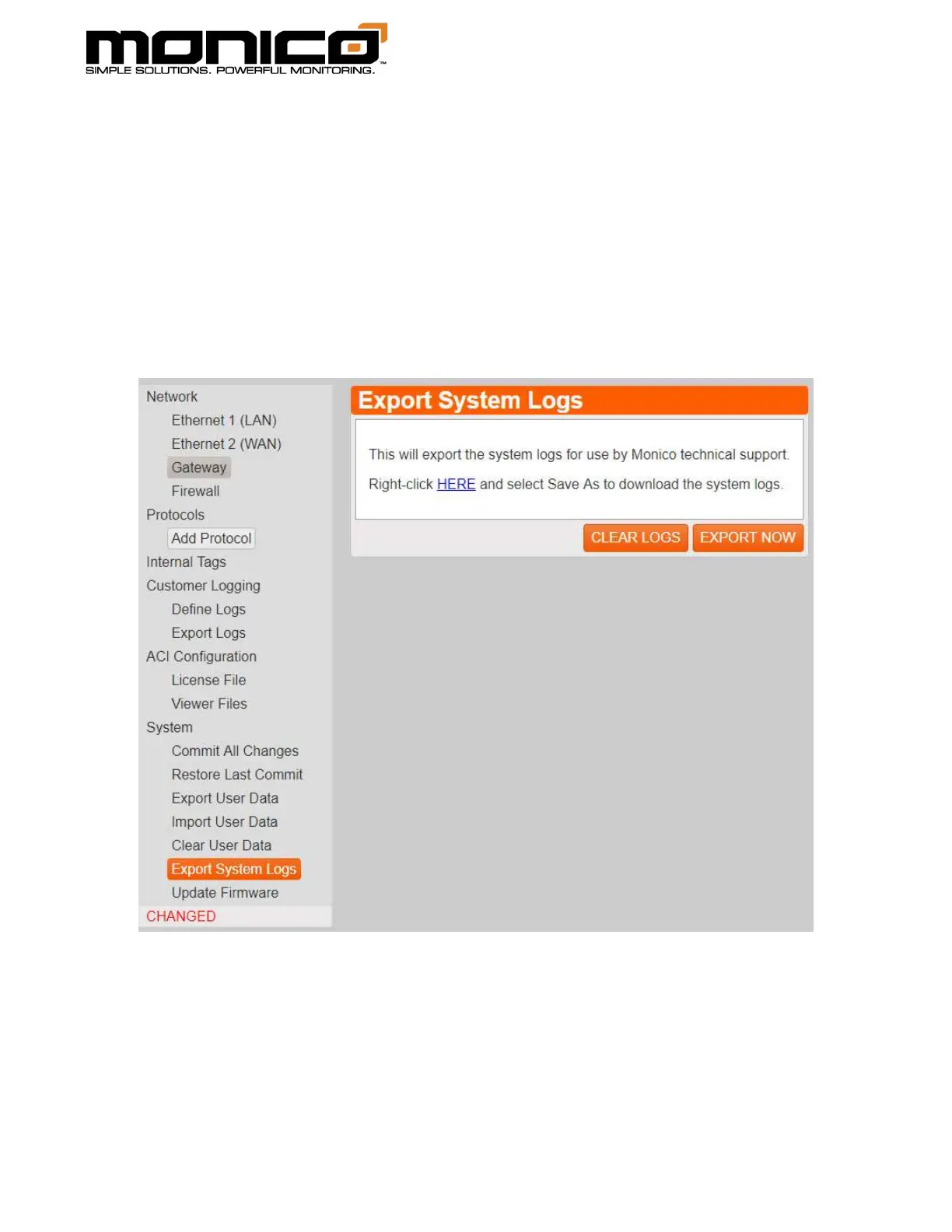
2. Click the Export Now button in the middle menu. The following screen will
appear. Click the blue hyperlink labeled “HERE”. A pop-up box will appear
asking where you want to save the log file and what to name it. Click Save.
a. If multiple sets of logs are needed over an extended time frame, you will
need to delete the old logs before each run to obtain traffic logs. Make
sure to have already backed up the current log files before doing this
step. To do this, click the Clear Logs button. Click Ok to continue.
3. Once you’ve saved the log to your computer, send them to
support@monicoinc.com. These log files are encrypted as they contain
proprietary information. We will decrypt, analyze the logs, and reply. Please
contact us at 281-350-8751 ext.1 if you need more rapid assistance.



 To Next Page