Page 78 of 110
Rev. G
Section 10: Internal Tags
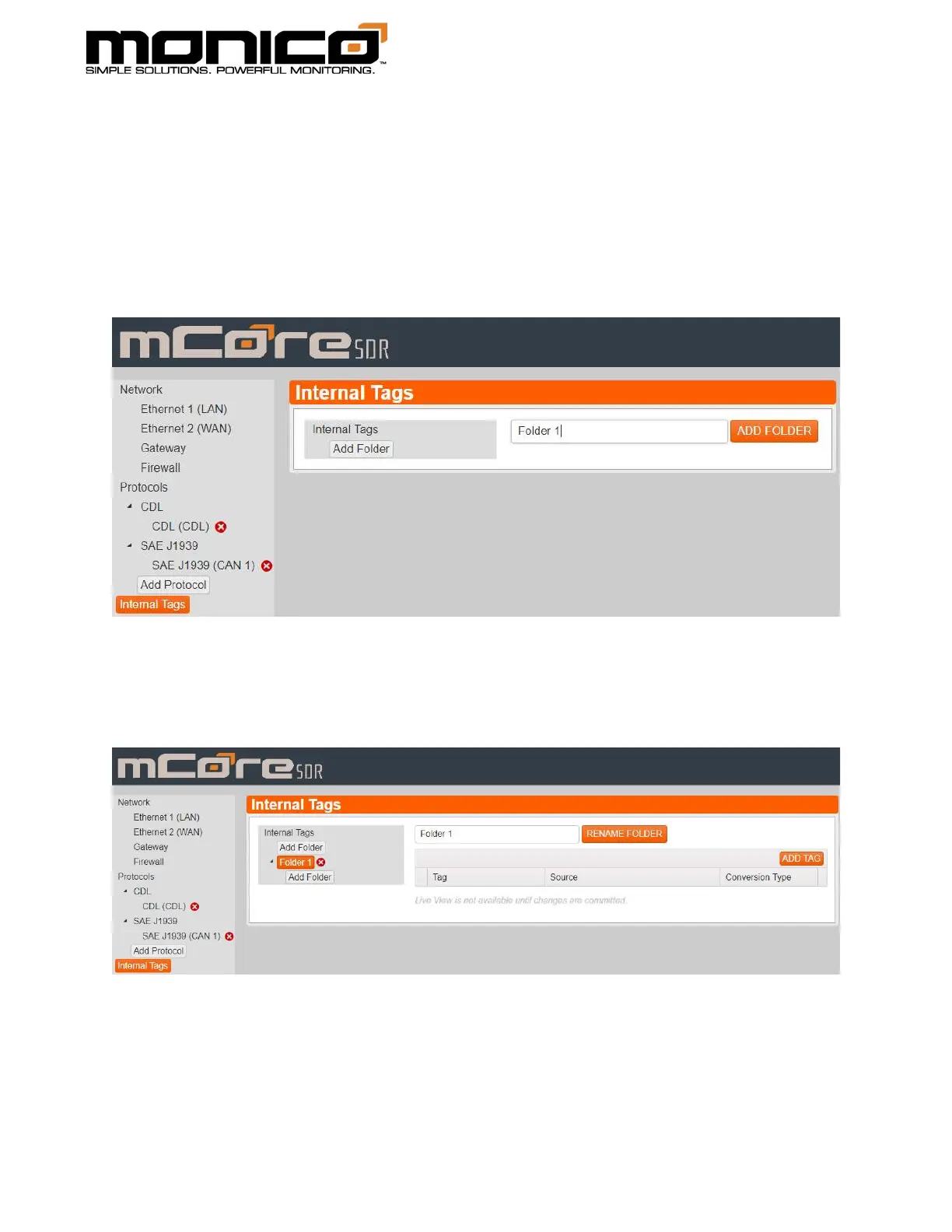
1. Click the Internal Tags button in the left menu. The following screen will appear.
Click Add Folder and input a name for the folder. This will serve as an
organizational tool. Click the orange Add Folder button to the right of the name
box to save and create the folder.
2. The following screen will appear where you can start adding tags. Click the Add
Tag button located to the right of the screen.



 To Next Page