Page 44 of 110
Rev. G
Section 8.4: SAE J1939 Setup
S.A.E. J1939 Theory of Operations:
J1939 is one of many protocols that run on a CANbus network. J1939 is primarily a
broadcast protocol where there are a very large number of Parameter Group Numbers
(PGN) and each PGN is assigned a number of Suspect Parameter Numbers (SPN) which
are publicly defined and maintained by S.A.E.org. One unique characteristic of CANbus
networks is they have a low-level transport protocol that allows for acknowledgments to
confirm packet receipt that is very similar to Ethernet TCP/IP transport layer.
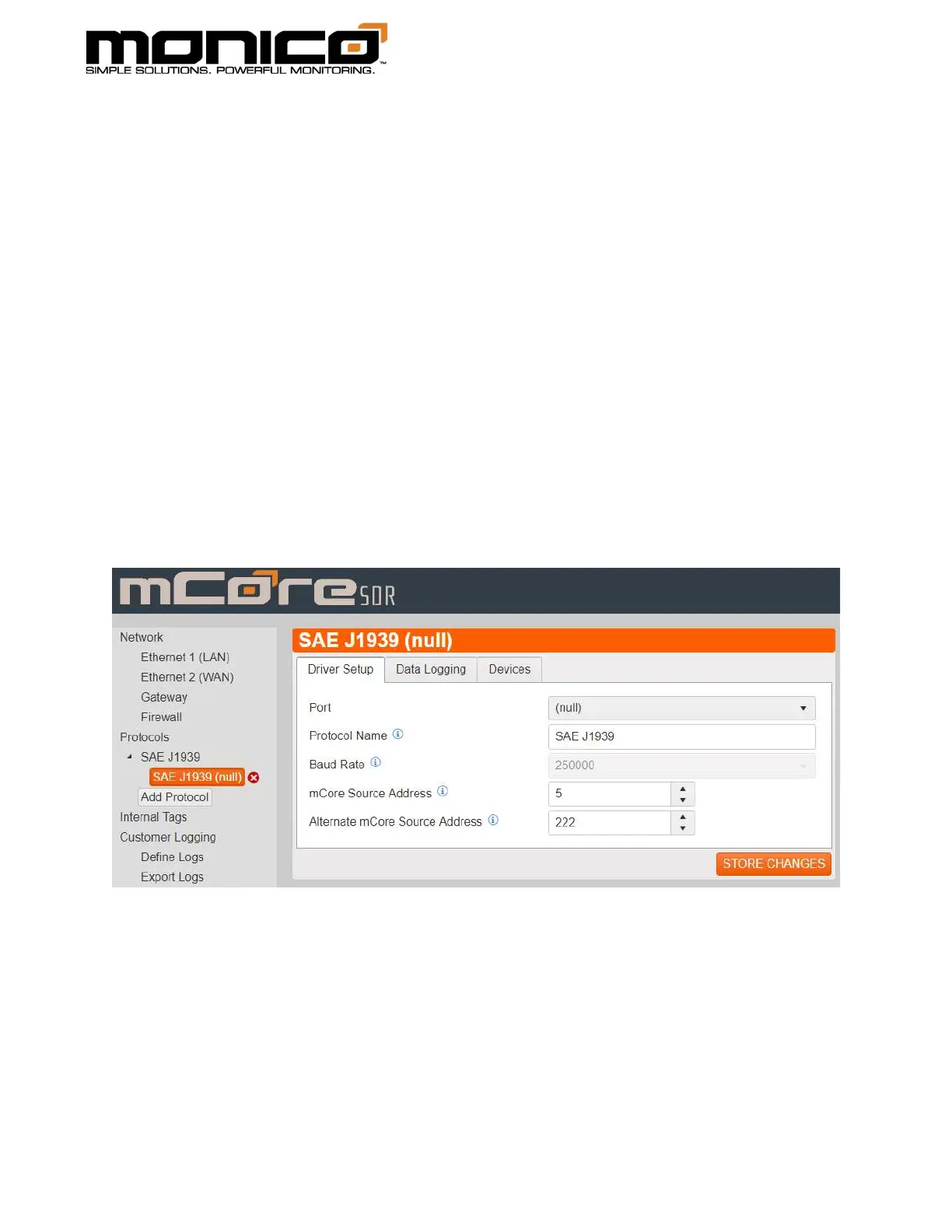
1. After adding the Protocol per Add Protocol section, click the second level of
the protocol. Here you will select which CAN port, 1 or 2, you are physically
wired into. Also, you can also edit the mCore’s Source Address and Alternate
Source address. Click Store Changes in the bottom right when done.



 To Next Page