Page 43 of 110
Rev. G
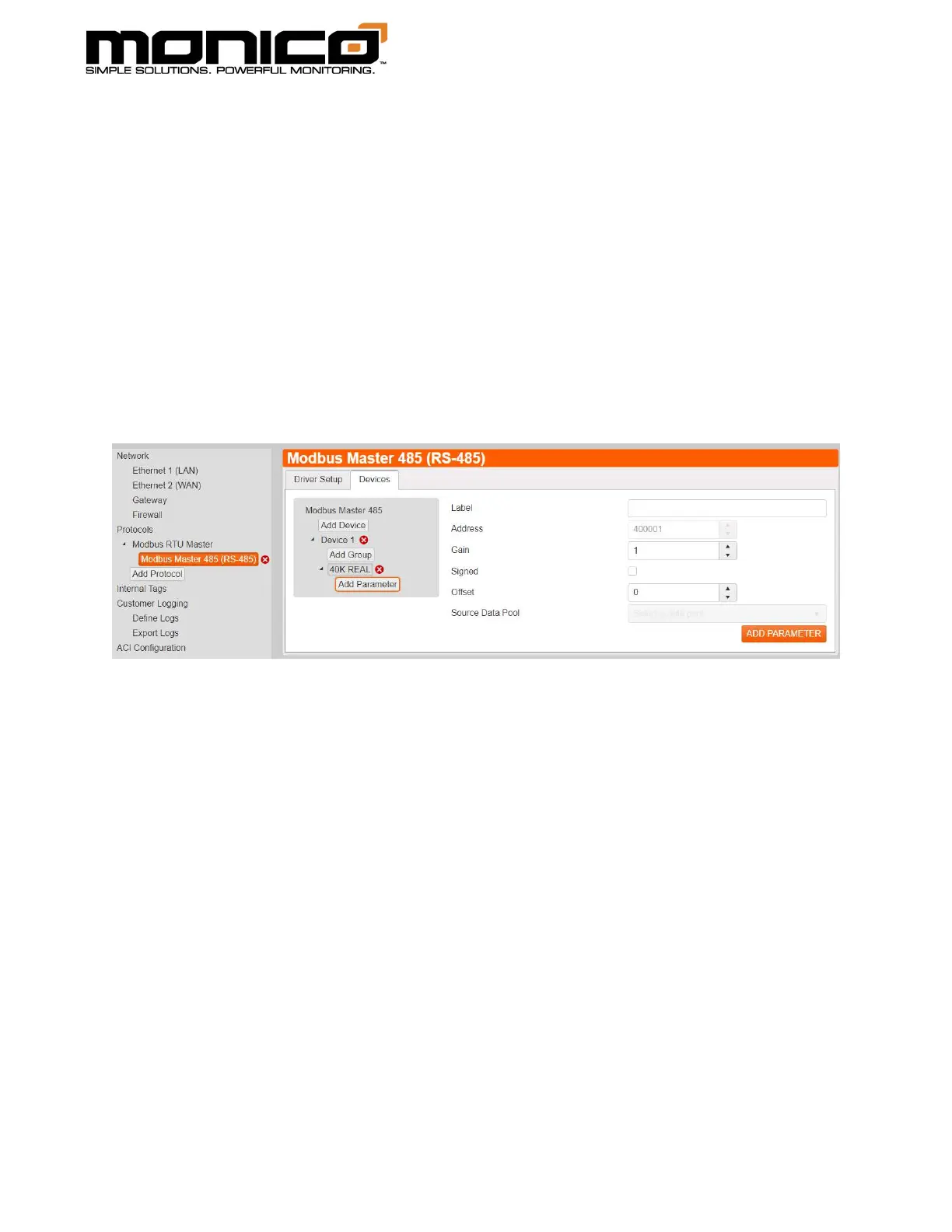
6. The button Add Parameter will appear under the Add Group button in the top
left as shown. Here you can start mapping out the individual registers starting
at the number specified at the group settings in the above step. If this was a
Slave application, the Source Data Pool drop down menu would be where you
choose the parameter from a different protocol to map out. The UI (User
Interface) will count for you as you add registers. The Gain and Offset allow
you to apply scaling if needed. If you need to skip a large number of registers
in your mapping, start a new group. If a small skip is needed, create an internal
tag with a meaningless value to use as a filler tag to skip unneeded registers.
When you are done, click the Add Parameter button in the bottom right.
7. Repeat steps 5 and 6 until you have added all registers. If talking to multiple
devices, repeat steps 4 through 6. Once done, you must click the Commit All
Changes button in the left menu towards the bottom for the changes to take
effect.



 To Next Page