Page 42 of 110
Rev. G
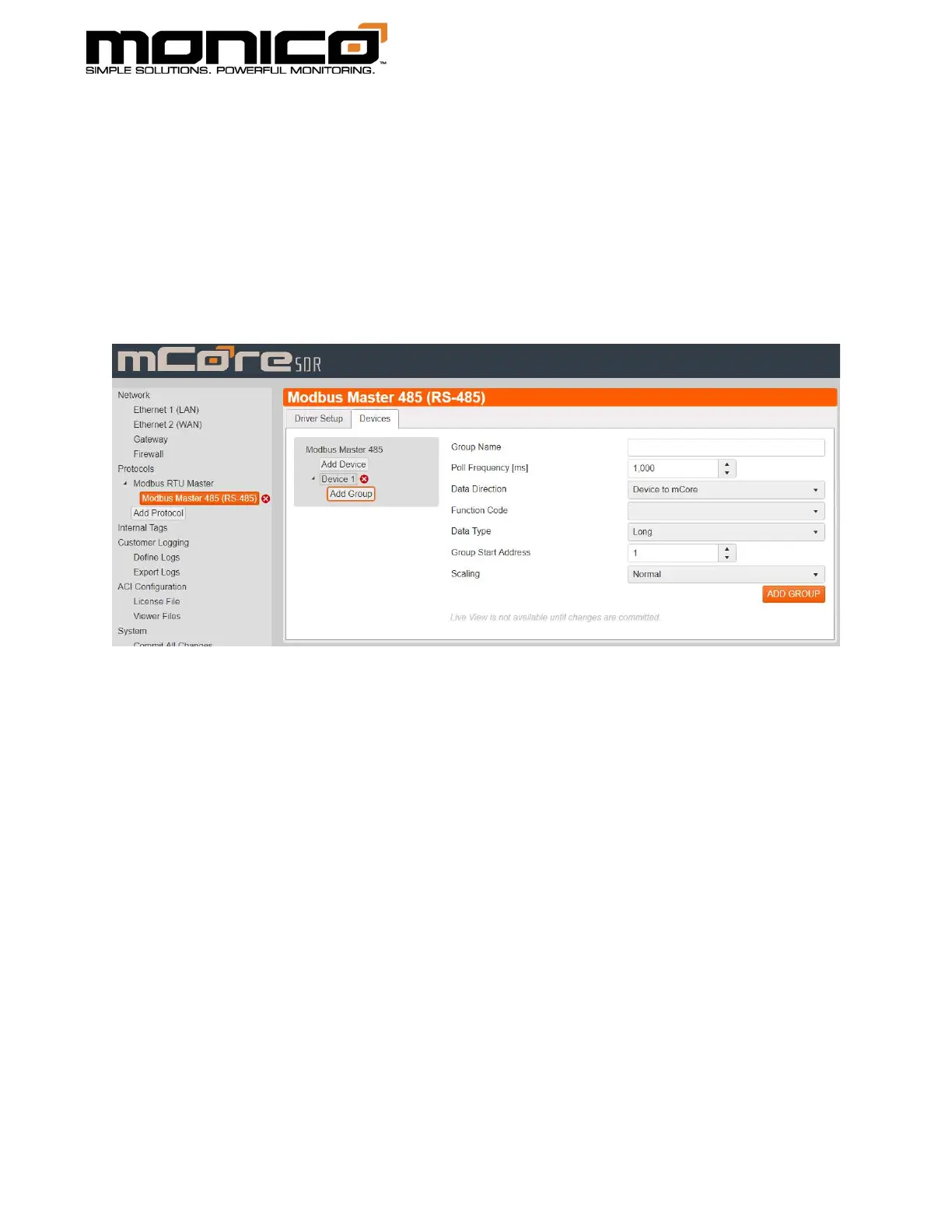
5. Once the device is added, a Add Group button will appear under the Add
Device button. Click Add Group. The following will appear. Here you will
choose the data type (word, real/float, or long), the direction (read or write),
the function code (currently only function codes 3 and 4 are supported), and
the starting address of the Modbus Register. Scaling Normal versus Scaling
Reverse reverses the math operation. Contact Customer Support for more
information if needed. Click Add Group in the bottom right when done.



 To Next Page