Page 45 of 110
Rev. G
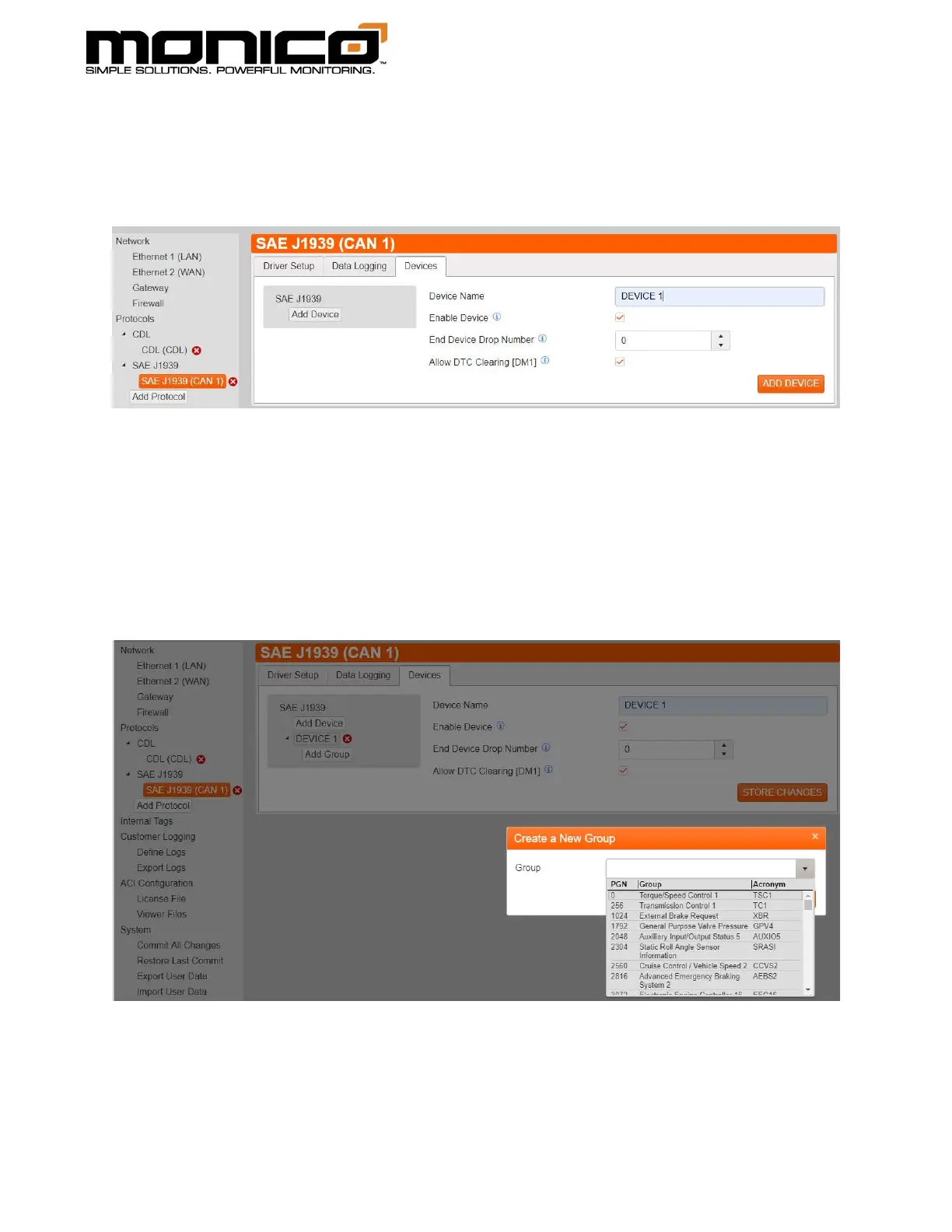
2. Click the Devices tab, then click the Add Device button. Here you can name the
device, change the device drop number, and allow DTC clearing. When done,
click the Add Device button in the bottom right.
3. Next click the Add Group button that appeared under device name. A pop-up
window will appear. Click the drop-down menu to view the PGN list or use the
search bar to find the PGN you are looking for. You can search by description,
PNG number, and PGN Acronym. Once you are done, click Add Group.



 To Next Page