Page 60 of 110
Rev. G
level can slow data flow considerably depending on the network
latency, especially when replaying buffered data.
iii. 2=Send Exactly Once by using a more complex acknowledge
mechanism. Note that this ensures you will get the packet ONLY
ONCE, but it also slows down the data flow even more.
n. Subscription QoS: Same as above when acting as a subscriber.
o. Connection Timeout: this is the setting for how long to wait for a
connection to be established before entering the Initial Back off period.
p. Publication Timeout: This setting describes the amount of time to wait for
an acknowledgement from a publication message.
q. Subscription Timeout: This setting describes the amount of time to wait for
an acknowledgement from a subscription message.
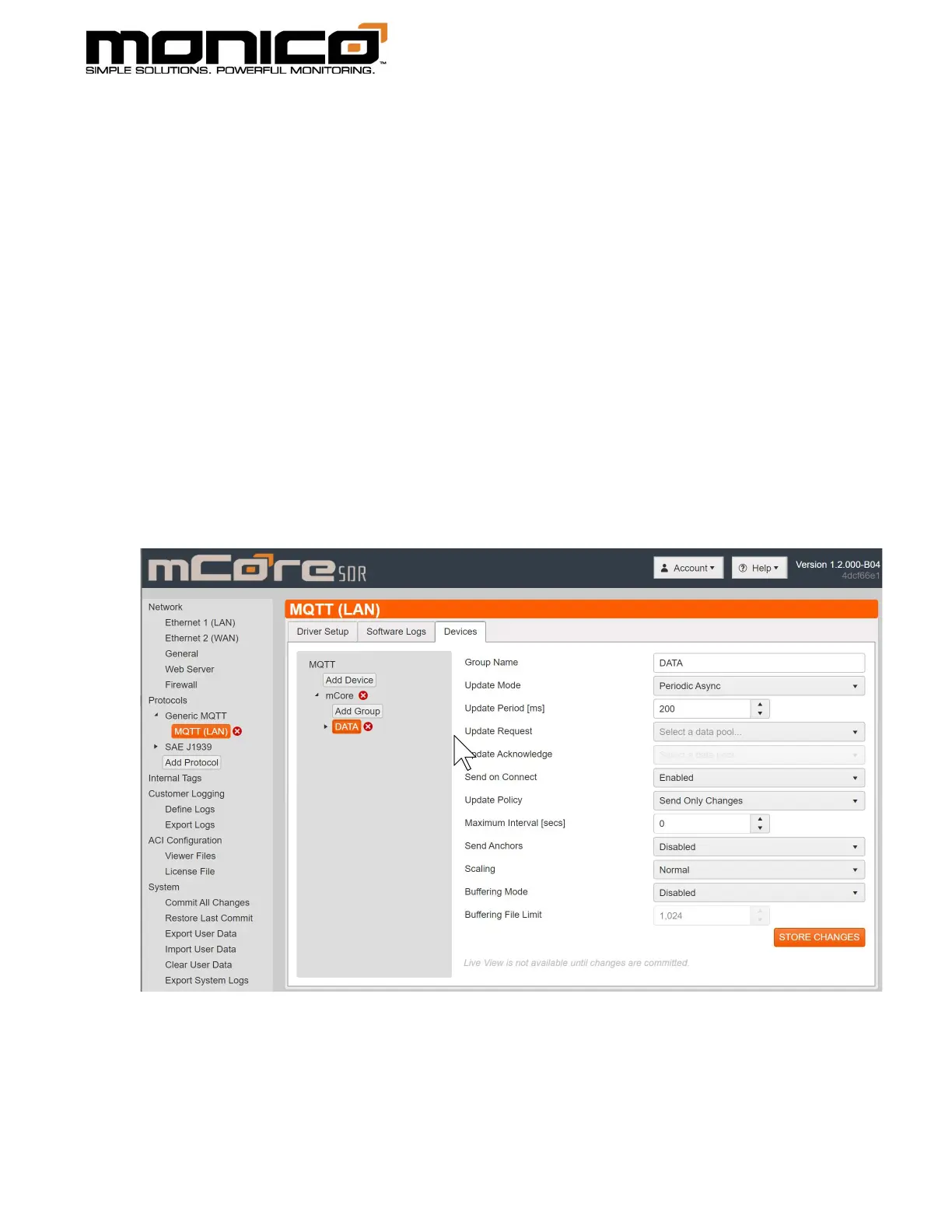
4. At the Group Level, you can setup how you want each data group to trigger to
send.
a. Group Name: This name is only for the User Interface to reference.
b. Update Mode: This option indicates how the entire group will be processes
for exception reporting. Setting are:



 To Next Page