Page 73 of 110
Rev. G
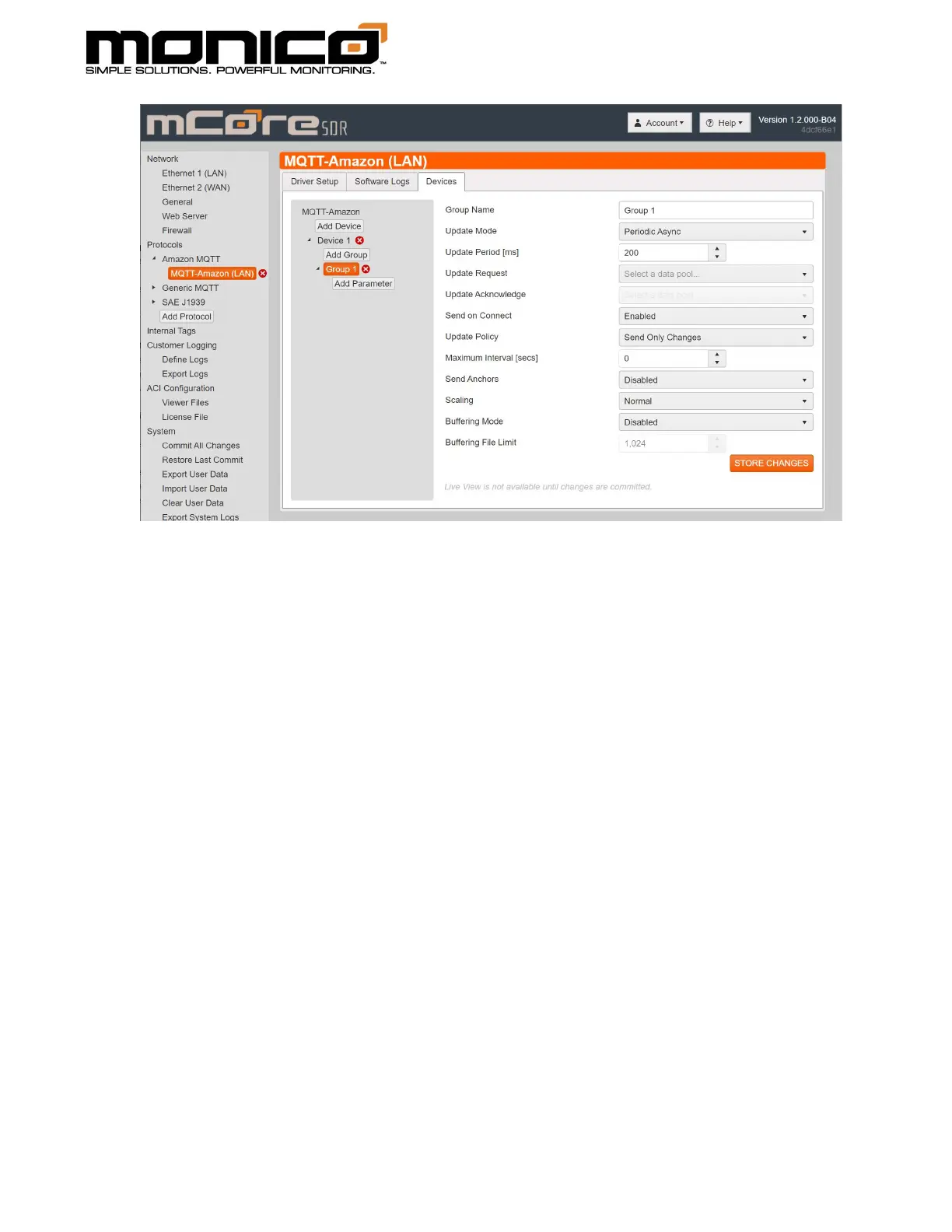
a. Group Name: This name is only for the User Interface to reference.
b. Update Mode: This option indicates how the entire group will be processes
for exception reporting. Setting are:
i. Periodic Async: This method sets an update period where during this
period each value will be continuously checked for exception. If a
parameter meets the exception test, it is sent immediately no matter
where it happens inside the update period. In this mode, you may get
a message anytime during the update period, but you will never get a
message more often than once every period.
ii. Periodic Sync: Very similar to Async, but the exception checks only
take place at the end of each update period and that time period
starts and stops on the REAL TIME CLOCK period. So, if you choose a
5000 ms update period, the first check for exception will be at
12:00:00. If any parameters meet exception, they will be transmitted
at this time stamp. The next exception check will happen at 12:00:05
and so on. So, you may NOT get a message at the end of each time
period, but all messages will be sent on the real time clock period
end.
iii. Triggered: This mode is used when you want a group to be processed
only when a certain condition exists. In this mode, the Update



 To Next Page