Page 76 of 110
Rev. G
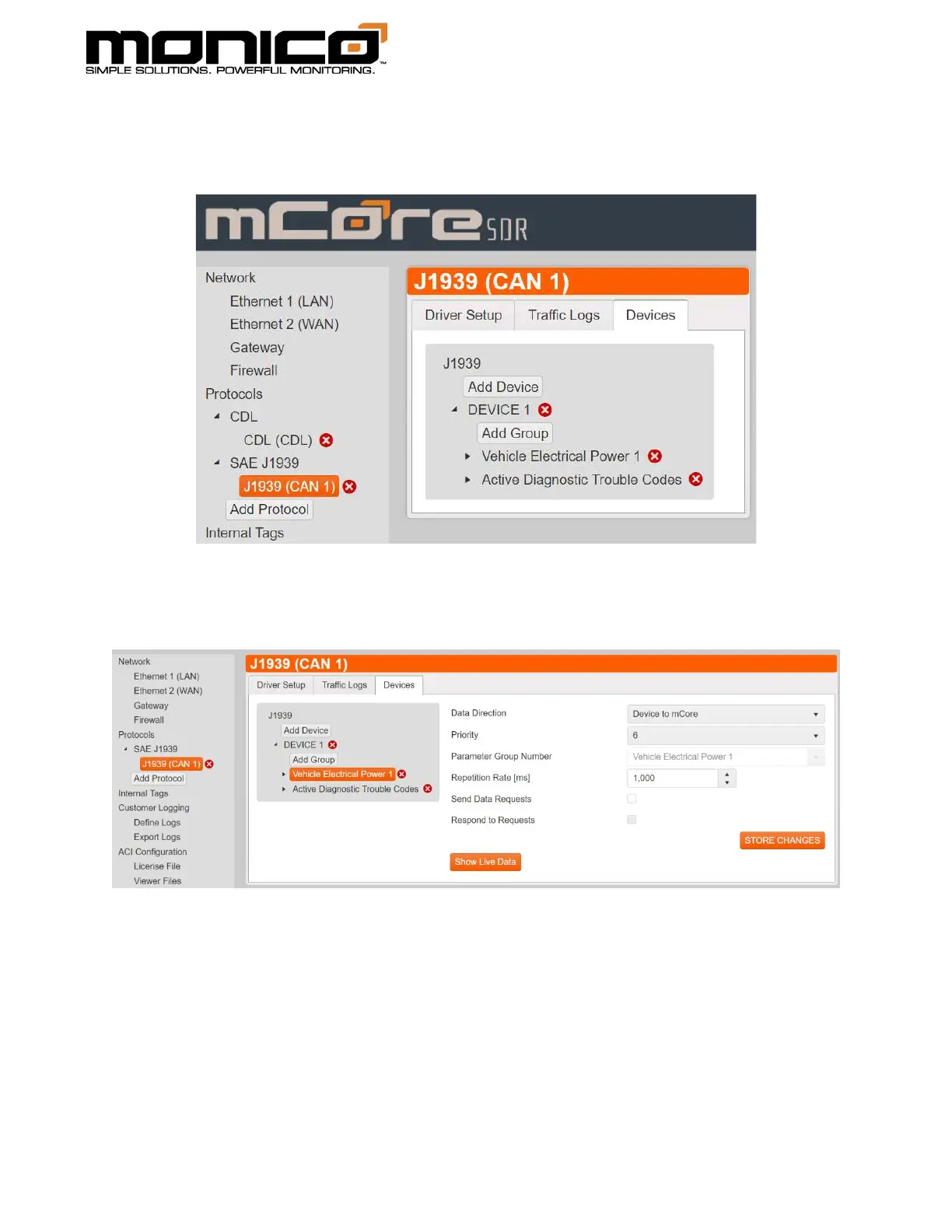
1. To view live data, select any protocol in the left menu. Click the secondary
level to show the center menu, then click the Devices tab as shown below.
2. Next click the group, in this example the PGN name, that contains the
parameters you would like to see data for. See example below.



 To Next Page