Page 99 of 110
Rev. G
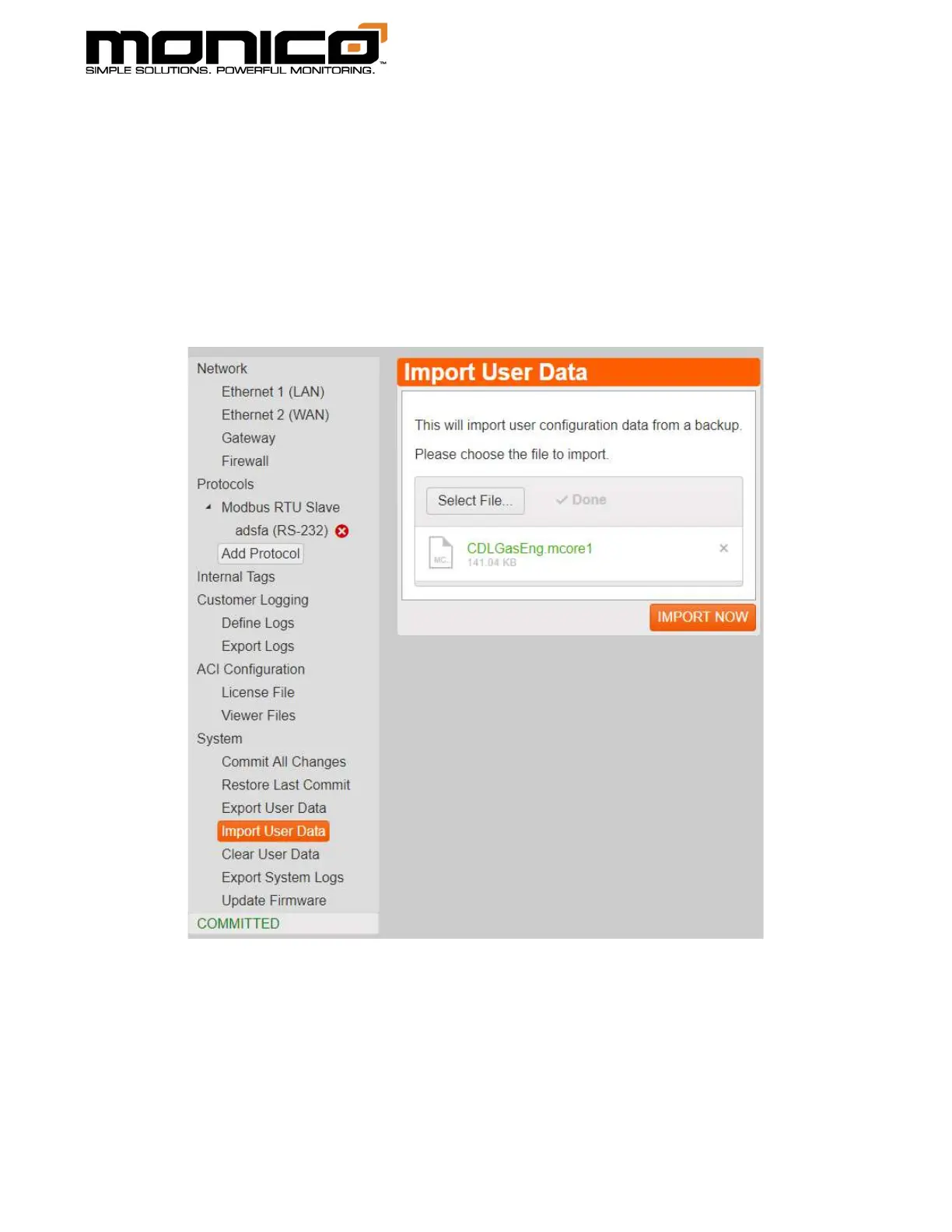
3. Click the Select File button in the center menu. A pop-up box will appear.
Navigate to the saved User Data file, select it, then click Open. User Data files
are the file type “.mcore1” on the end of the file.
4. Once the file is uploaded, it will show up in the center menu as shown below.
Click the Import Now button at the bottom right. A pop up will appear asking if
you want to continue with the change. Click Ok to continue.



 To Next Page