EasyManua.ls Logo

Monitor GF1800 - Page 57

Default Icon
74 pages
Print Icon
To Next Page IconTo Next Page
To Previous Page IconTo Previous Page
Loading...
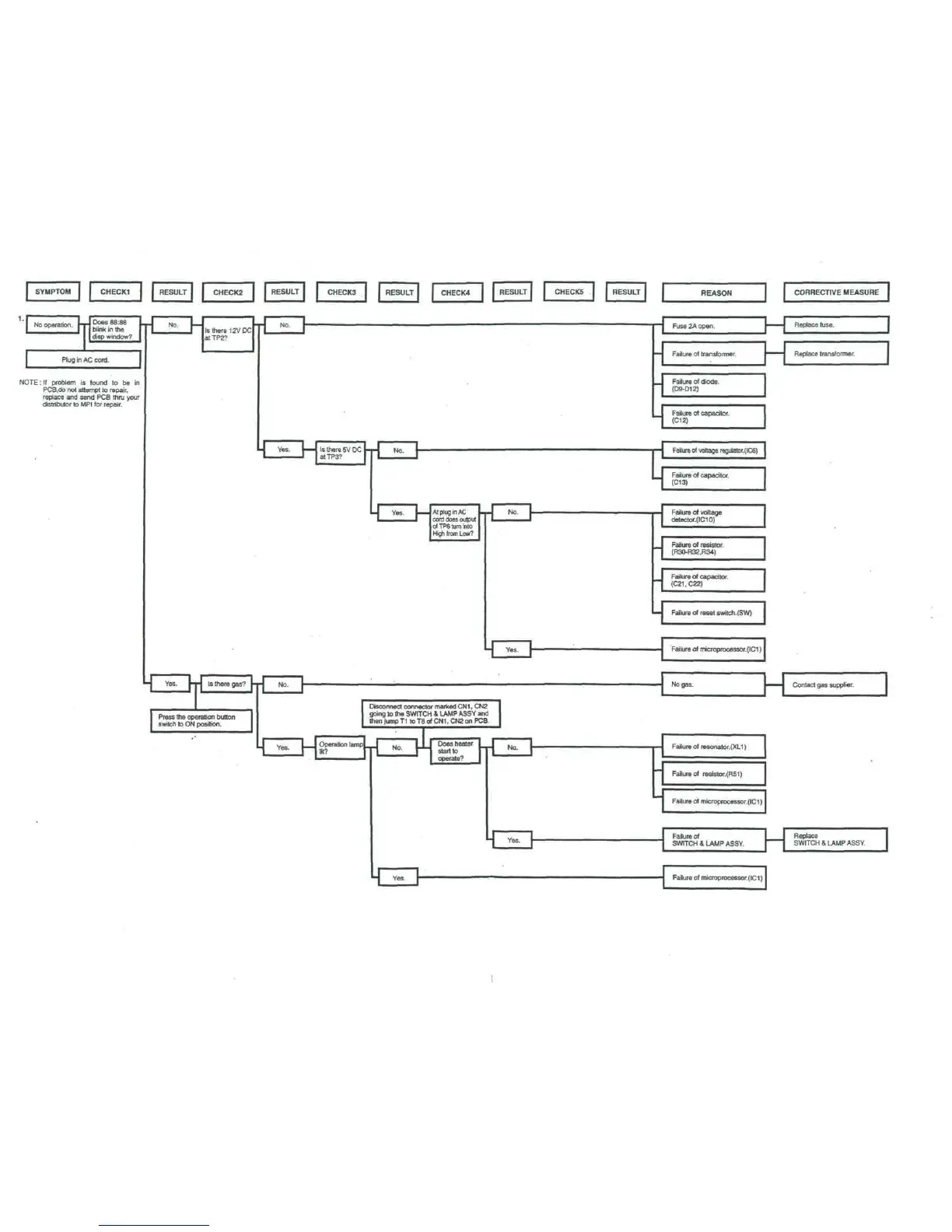
REASON
NOTE:
If
problem
is
found
to be in
PCB.do
not
attempt
to
repair,
replace
and
send
PCS
thru your
distributor
to
MPI
for
repair.
Disconnect connector marked
CN1,
CN2
going
lo
the
SWITCH
&
LAMP
ASSY
and
then jump
T1 to T8 of
CN1,
CN2
on
PCS
Fuse
2A
open.
Failure
of
transformer.
K
CORRECTIVE
MEASURE
Replace
fuse.
Replace
transformer.
Failure
of
diode.
(D9-D12)
Failure
of
capacitor.
(C12)
c
Failure
of
voltage
regulalor.(IC6)
Failure
of
capacitor.
(C13)
Failure
of
voltage
detector.(ICIO)
Failure
of
resistor.
(R30-R32.R34)
Failure
of
capacitor.
(C21.C22)
Failure
of
reset
switch.(SW)
Failure
of
microprocessor.(ICI)
No
gas.
H
Contact
gas
supplier.
Failure
of
resonator.(XLl)
Failure
of
resistor.(RSI)
Failure
of
microproc8Ssor.(IC1)
Failure
of
SWITCH
&
LAMP
ASSY.
Replace
SWITCH
&
LAMP
ASSY.
Failure
of
microprocessor.(ICI)

Table of Contents

Related product manuals