
 Need help?
Do you have a question about the Mooltipass Mini BLE and is the answer not in the manual?
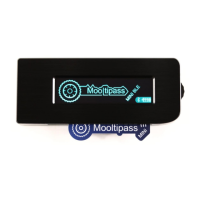
Provides a welcome and overview of the Mooltipass Mini BLE device, highlighting its features.
Explains key principles and concepts essential for understanding and using the Mooltipass device effectively.
Guides the user through the initial setup process, including powering on and language selection.
Details how to enable, connect, pair, and manage Bluetooth connections for the Mooltipass Mini BLE.
Explains how to store and retrieve user credentials like passwords, FIDO2, and TOTP tokens.
Describes the step-by-step process for logging into services manually using the Mooltipass device.
Details how to access and use the Favorites menu for quick retrieval of commonly used credentials.
Outlines access to important features and operations such as changing PINs and modes.
Covers various device settings accessible when advanced mode is active, like language and knock detection.
Describes the main menu options available in the Mooltipass browser extension.
Shows where to view the current status of the connected Mooltipass device within the extension.
Explains the extension's capabilities for generating secure passwords and storing credentials.
Details how to recall credentials using the browser's context menu when automatic detection fails.
Guides on specifying custom fields for credential recognition on web pages for the extension.
Explains how to access and manage the browser extension's settings, including website exceptions.
Provides instructions on how to report issues with website compatibility to the Mooltipass team.
Introduces Moolticute as the official intermediary app for Mooltipass and its benefits.
Explains different methods to start the Moolticute application from the extension or OS.
Covers configuring device parameters like keyboard layout, inactivity, general, and advanced settings within Moolticute.
Details managing credentials, adding new ones, and setting up categories via the Moolticute credentials tab.
Explains how to use the Files tab to add, store, and manage files on the Mooltipass device.
Describes how to use the Synchronization tab for backing up and restoring credentials and monitoring files.
Outlines the settings available within the Moolticute application's settings tab for customization.
Covers advanced functionalities like CSV import, SSH key management, and battery reconditioning.
Provides general information about the Moolticute app, device details, and security challenge features.
Clarifies the currently supported manual recall mode for mobile phone connections.
Provides steps to correctly set the keyboard layout when connecting to Android devices.
Details FCC compliance and measures to avoid radio interference for the device.
Outlines important safety guidelines for handling, disposing, or using the device's battery.
 General
| Connectivity | Bluetooth Low Energy (BLE) |
|---|---|
| Supported Platforms | Windows, macOS, Linux, Android, iOS |
| Category | Network Hardware |
| Storage | Encrypted flash memory |
| Security | AES-256 encryption |
| Open Source | Yes |
| Device Type | Password Manager |
| Authentication | Two-factor authentication (2FA) |
| Display | OLED screen |
| Input Method | buttons |
| Battery | Rechargeable battery |
| Battery Life | Up to 1 month |

 To Next Page