EasyManua.ls Logo

Mooltipass Mini BLE - Selecting Custom Credential Fields

Mooltipass Mini BLE
32 pages
Print Icon
To Next Page IconTo Next Page
To Previous Page IconTo Previous Page
Loading...
19
Mooltipass Mini BLE User Manual 2021/08/25
E) Selecting Custom Credential Fields
The Mooltipass extension searches for
credential fields in the web pages you visit.
When it finds them, it displays a key icon in the
password field, as shown above.
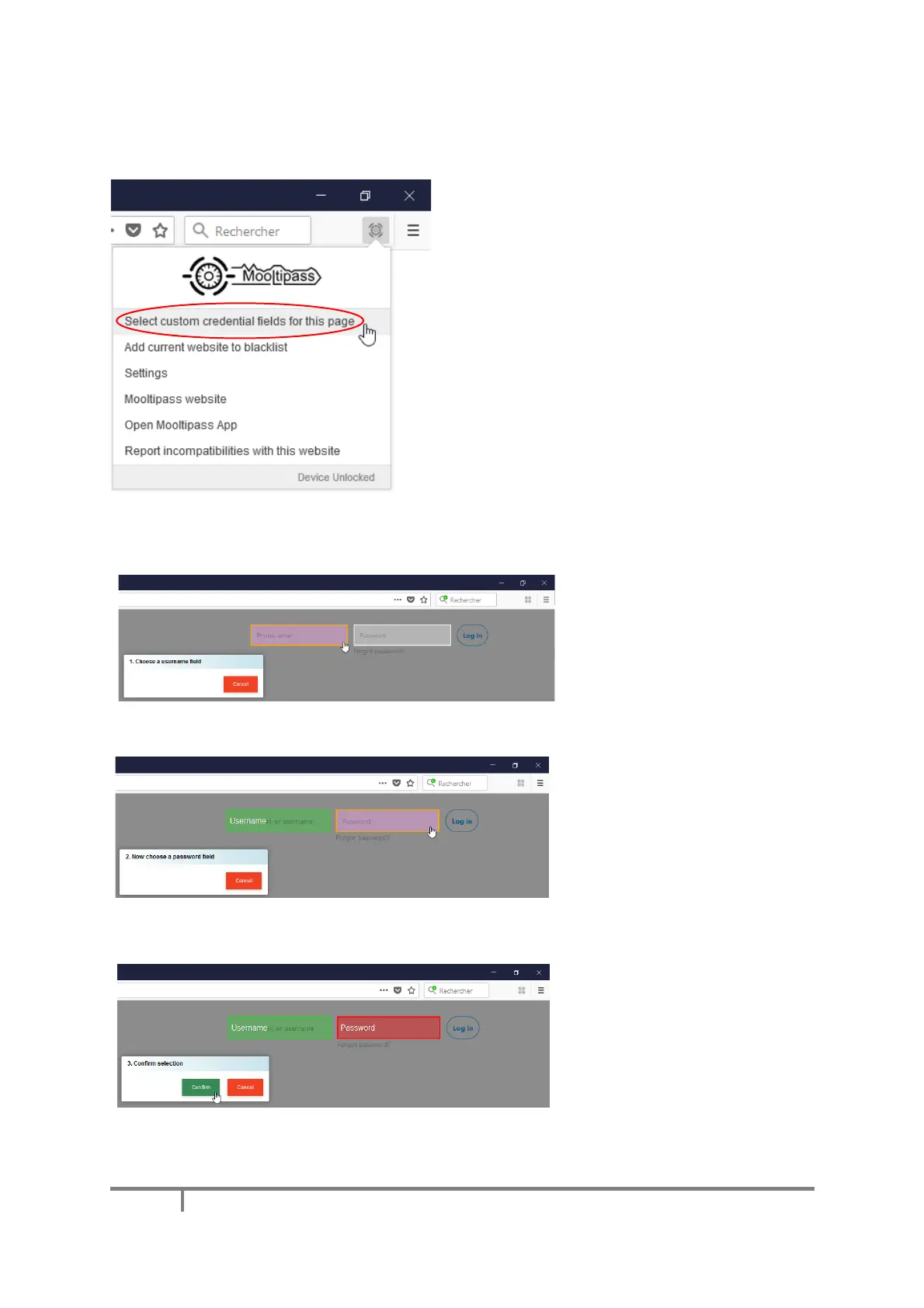
In the rare case the credential fields aren’t
picked up, you can tell the app about them by
clicking this item in the extension menu.

Follow the on-screen instructions to select the username field
then the password field,
and confirm.

Table of Contents