Mooltipass Mini BLE User Manual – 2021/08/25
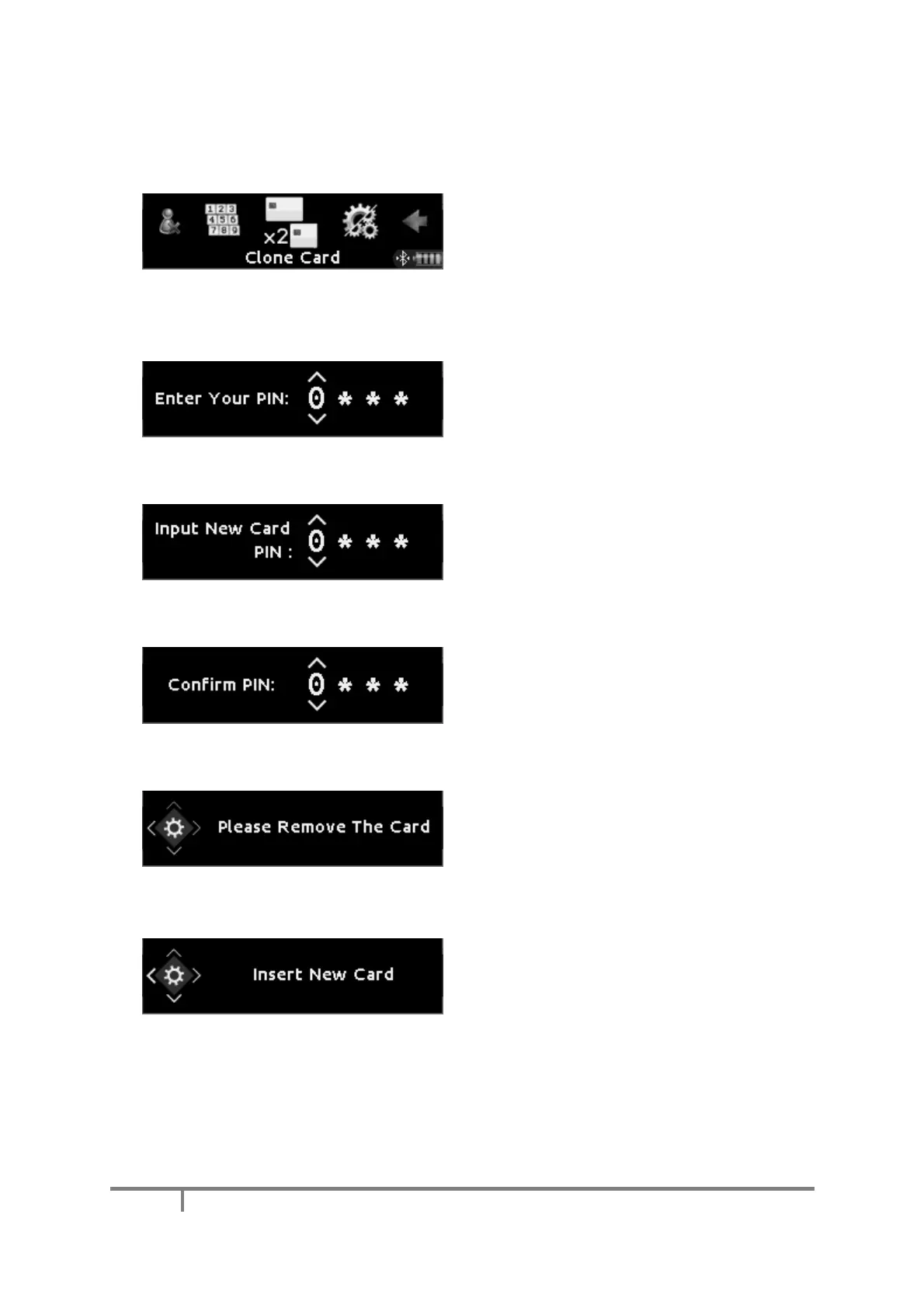
Credentials are stored inside the device, not in
your card. We recommend you make a clone of
your card and keep it in a safe place so that you
can use it to access your credentials if your
regular card is lost or damaged. In the operations
menu, select the ‘Clone Card’ item.
Enter the desired PIN for the new card. It can be
the same as your regular card, but this is not
required.
Confirm the PIN for the new card.
Remove your regular card.
Insert a new (empty) smart card. The Mini BLE
then initializes it with the contents (encryption
key) of your regular card, and the new PIN you
just selected.


 To Next Page