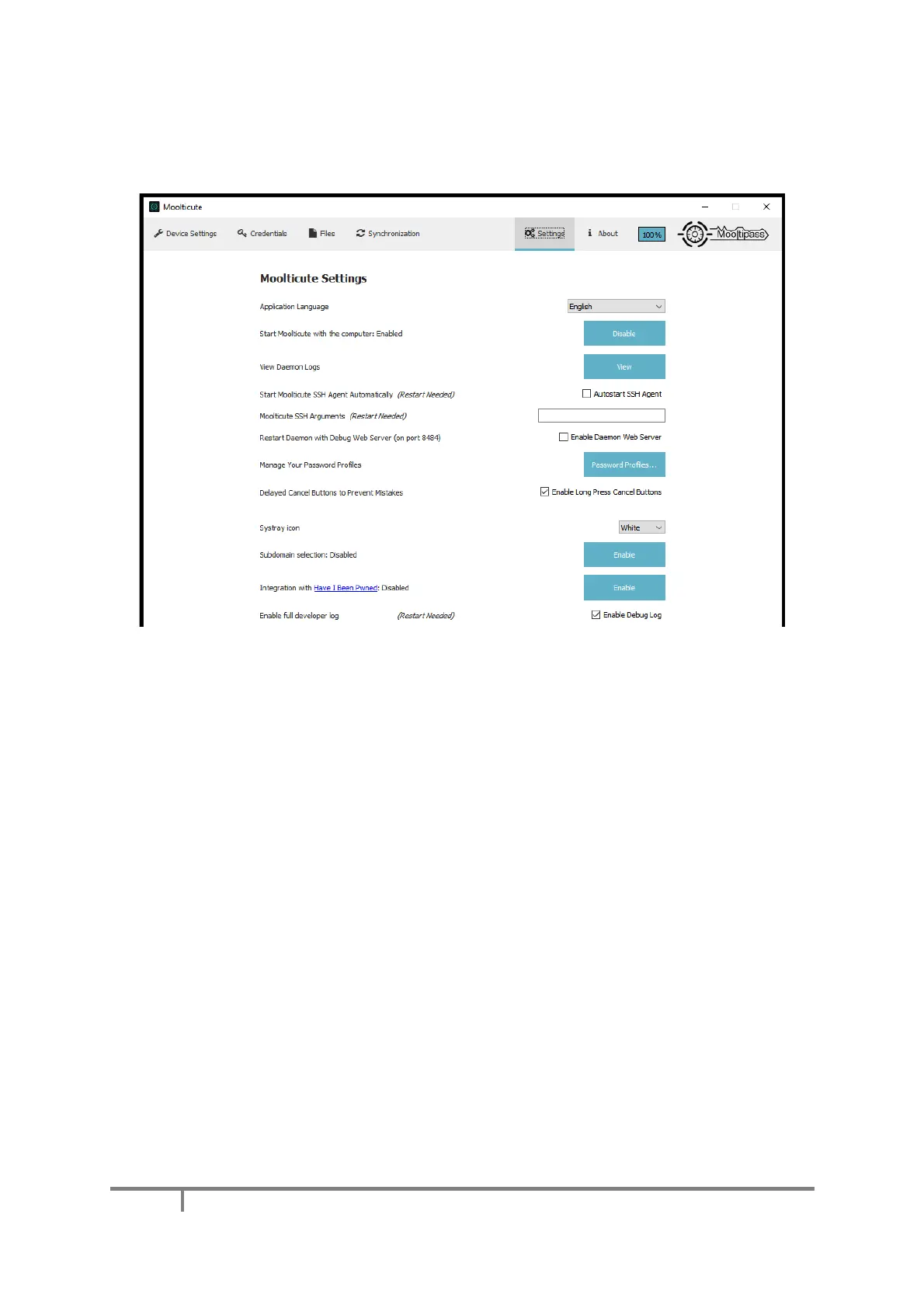
G) Settings Tab
The ‘Settings’ tab lets you change parameters on the Moolticute app.
You can:
▪ change the application language
▪ disable automatic start of the Moolticute app at boot
▪ view Moolticute’s daemon logs
▪ enable SSH agent automatic start and customize its settings
▪ define the password profiles that you can choose from in the password generator. A password
profile determines the types of characters (e.g., digits, symbols) that passwords may include
▪ enable long press cancel buttons to prevent you from accidentally canceling changes that you have
made
▪ change the system tray icon appearance
▪ enable or disable sub-domain support
▪ enable integration with the ‘have I been pwned’ service. AThis service allows you to be sure your
credentials haven’t been compromised
▪ enable the full developer’s log (when the Mooltipass team instructs you to do so)
▪ change the default password length for the password generator


 To Next Page