Mooltipass Mini BLE User Manual – 2021/08/25
F) Manual Login – Favorites Menu
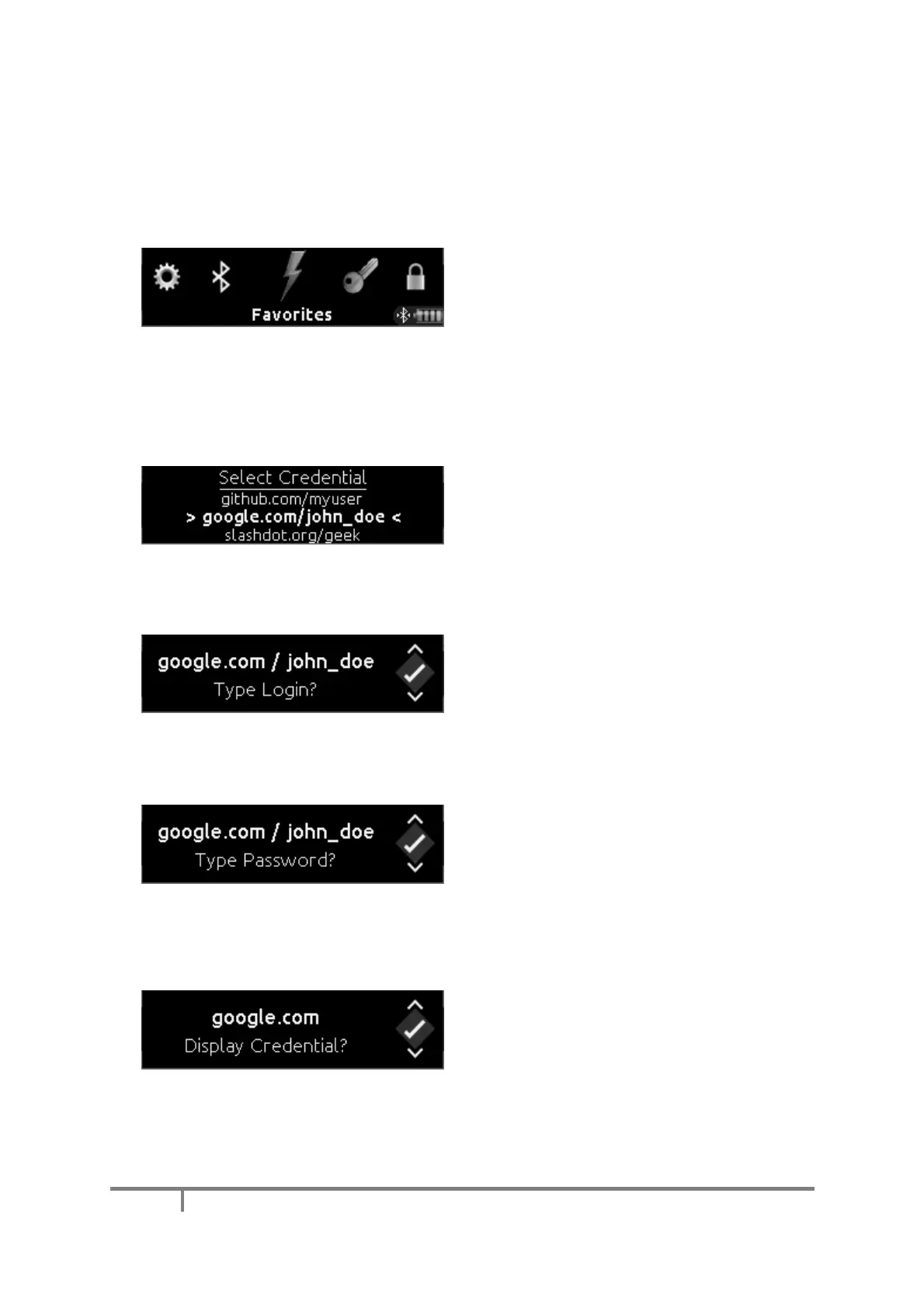
The Mooltipass Mini BLE provides a ‘Favorites’
menu for quick access to your most commonly
used credentials.
To select which credentials are 'favorites' use the
'Credentials' tab of the Moolticute app (see
Credential Management).
In the main menu, select the ‘Favorites” item to
show your favorite credentials.
Select the desired credential set using the wheel
interface.
As before, approve or deny the username entry
request.
And then approve or deny the password entry
requests.
If you deny both username and password
prompts, the Mooltipass Mini BLE will ask if
you’d like to display your credential on its
screen.


 To Next Page