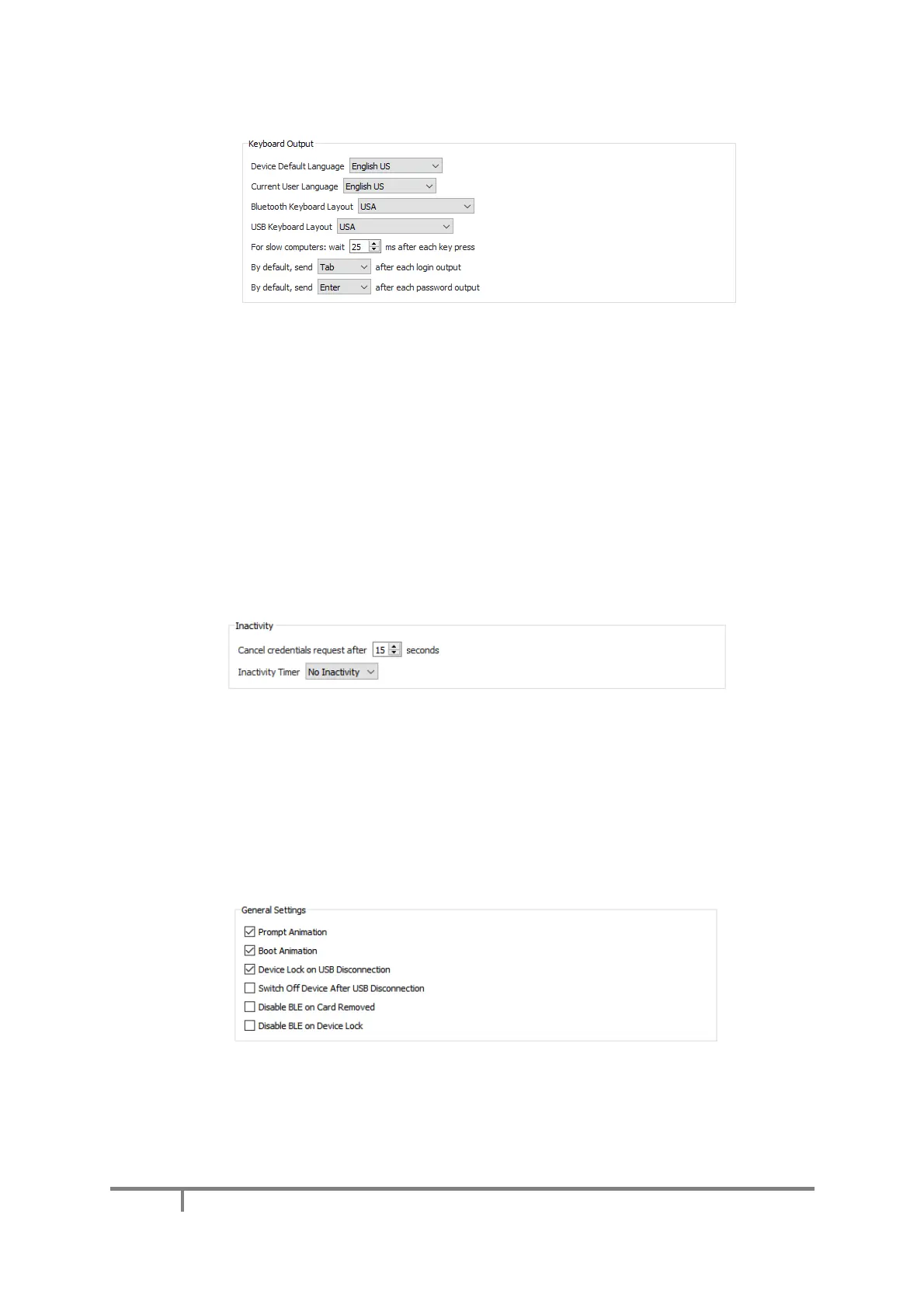
a) Keyboard Output
▪ For the Mooltipass to operate properly, it is important that you use the Device Settings tab to select
the keyboard layout you are using.
▪ If characters are missing when using manual credential recall, the Mooltipass may be typing too
quickly for your computer. To solve the problem, use the ‘For slow computers’ option to increase the
time interval between simulated key presses.
▪ The last two features of this subsection also apply to manual credential recalls. They enable the
Mooltipass to automatically send a Tab, Enter or Space key press after the login and password. Not
having to do this yourself can help speed up the login process.
b) Inactivity
This subsection allows you to
▪ Alter the number of seconds after which the credential requests disappear
▪ Automatically lock your Mooltipass when you've been inactive for a specified amount of time
c) General Settings
In this subsection you can:
▪ Enable / Disable prompt animations for faster interactions with your device
▪ Disable the animation displayed at your device’s boot


 To Next Page