VI. Device Operation with Mobile Phones
A) Currently Supported Mode of Operation
At the time of writing, only the manual credential recall mode of operation (see Manual Login) is
supported when connecting your Mooltipass Mini BLE to mobile phones. The Mooltipass team is
however currently working at adding an autofill service application for Android & iOS phones.
B) Setting the right keyboard layout on Android devices
When connected over Bluetooth to your mobile phone, the Mooltipass Mini BLE will be detected
as a physical keyboard and Android will therefore assign a layout to it (by default, English US). To
change this, follow this procedure:
- Go to: Settings -> System -> Languages -> Languages and Input
- Tap on Physical Keyboard (Mooltipass BLE)
- Tap on Mooltipass BLE and then select keyboard layouts
VII. Best Security Practices
To avoid any loss of data, these practices are highly recommended:
- Make at least one clone of your Mooltipass card
- Make multiple backups of your credentials database and store them in multiple places
- Enter your PIN discreetly so that no one can see it by looking over your shoulder
- Change your card's PIN and the passwords you use for important websites on a regular basis
VIII. Contact and Support
Have a look at the Frequently Asked Questions on http://www.themooltipass.com. If you don't
find the answer to your question there, contact us at support[at]themooltipass[dot]com, on IRC
(#mooltipass on irc.libera.chat) or on reddit (/r/mooltipass).
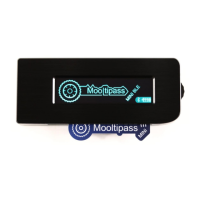
IX. Mooltipass Mini BLE Specifications
- Device size: 90 x 35.5 x 12.5mm
- Working voltage: 4.75V to 5.25V
- Current consumption: up to 0.5A
- Communications: USB 2.0 full speed and Bluetooth Low Energy
- Internal Memory: 8Mb
- USB connector: USB-C
- Case material: Anodized Aluminum
- Smart card support: AT88SC102
- Interface type: clickable scroll wheel
- Display: 256x64 pixels 4bpp 2.08" blue OLED screen


 To Next Page