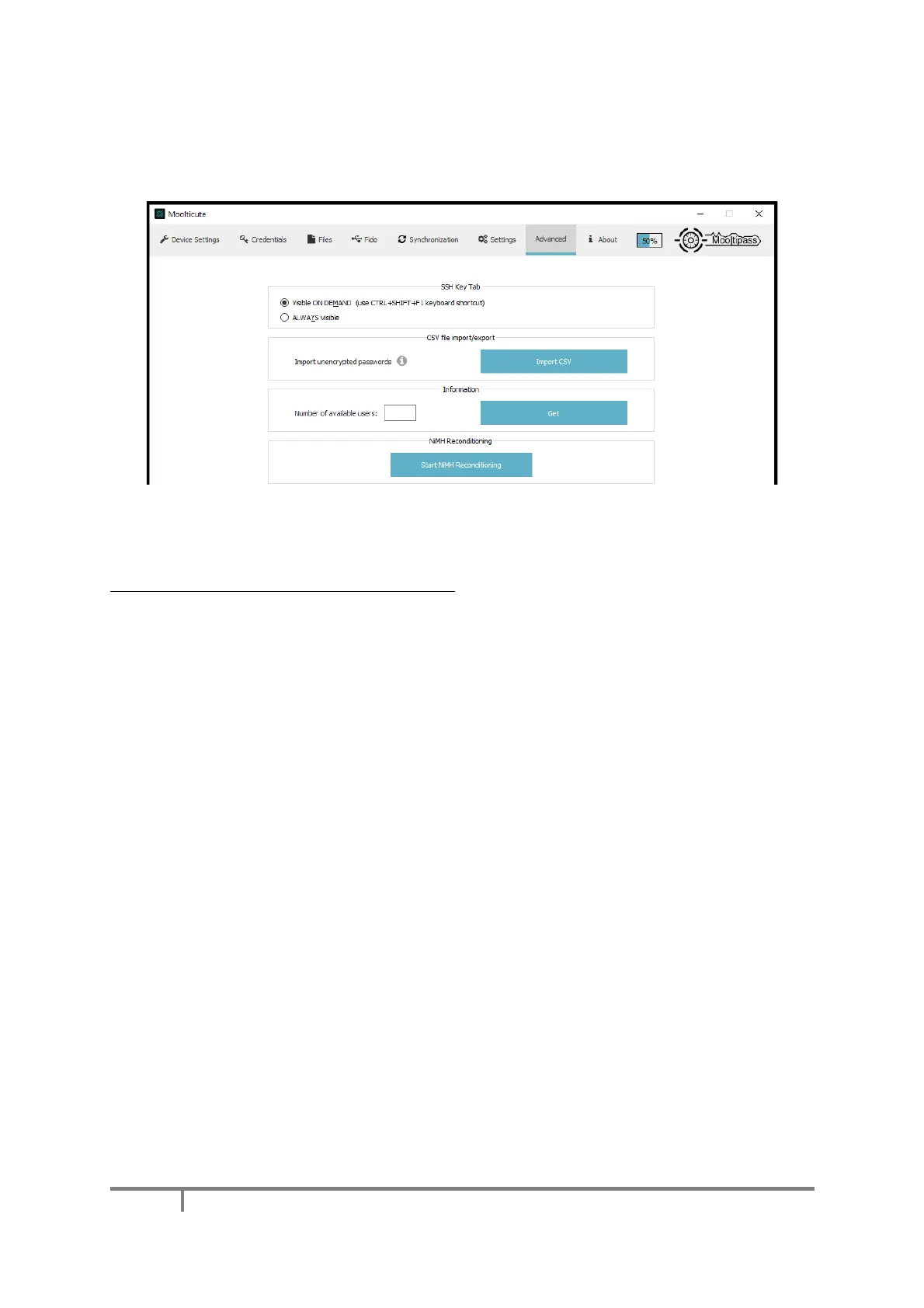
H) Advanced Tab
What advanced tab? you may ask. Simply press CTRL+SHIFT+F2 (or Shift+Fn+Cmd+F2 on macOS) to
make it appear.
You can use this tab to import multiple credentials stored inside a CSV file. Please make sure the file
is correctly formatted as it must have 3 columns: website, login, password. For the least amount of
prompts on your Mooltipass Mini BLE, we recommend setting your device in ‘simple mode’ (see
Enabling Advanced Mode / Enabling Simple Mode) before starting the CSV import operation.
The Mooltipass Team however recommends that you avoid using this feature when migrating to the
Mooltipass, as this is a good occasion to manually change your previous passwords one by one,
triggering credential save events.
If you notice that your Mini BLE has poor battery life (less than 3 days), we invite you to use the
“Start NiMH Reconditioning” button that will trigger a 5 hours long process to perform a battery
maintenance operation.
Please note that this tab as well as the SSH key tab are still in development. Please bear with us for
updates on the subject.


 To Next Page