Mooltipass Mini BLE User Manual – 2021/08/25
III. Moolticute Application
A) General Information
Moolticute is the official app for the Mooltipass. It works as an intermediary between your Mini BLE
and the browser extension. This allows a simpler, more intuitive use of your Mooltipass and gives you
access to more functionality when you need it. For Moolticute and Mooltipass extension installation
instructions, please visit http://www.themooltipass.com/setup.
B) Launching the Moolticute app
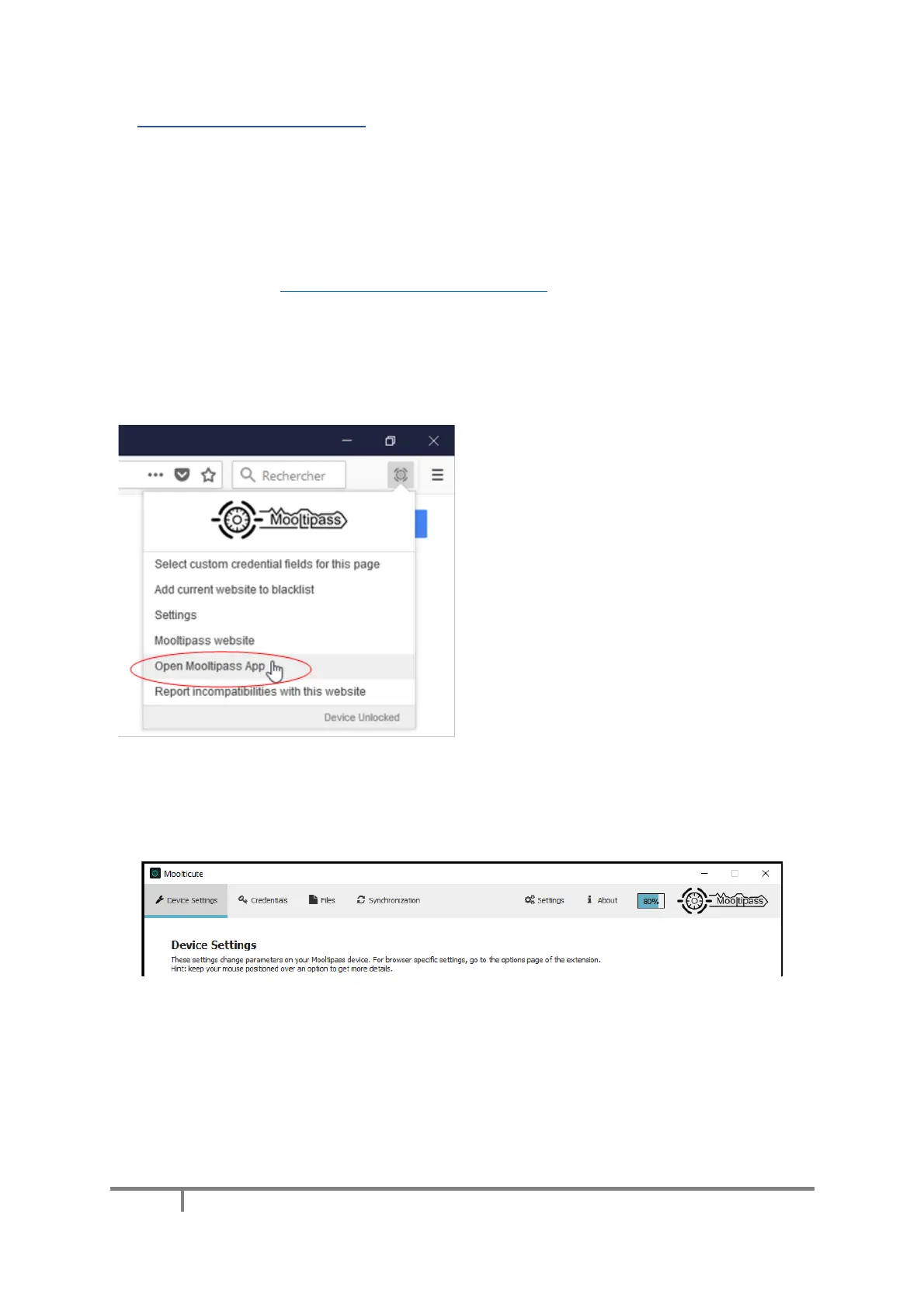
You can launch the Moolticute app from the
Mooltipass Extension menu by clicking on the
corresponding item.
Moolticute can also be launched by clicking on
its icon, located in your operating system’s
task bar or desktop.
C) Device Settings Tab
You can use the ‘Device Settings’ tab to change parameters on your Mooltipass device. Hovering
the mouse pointer over an option will gives a short description of what that option does.


 To Next Page