CA Series User’s Manual Software Installation
3-46
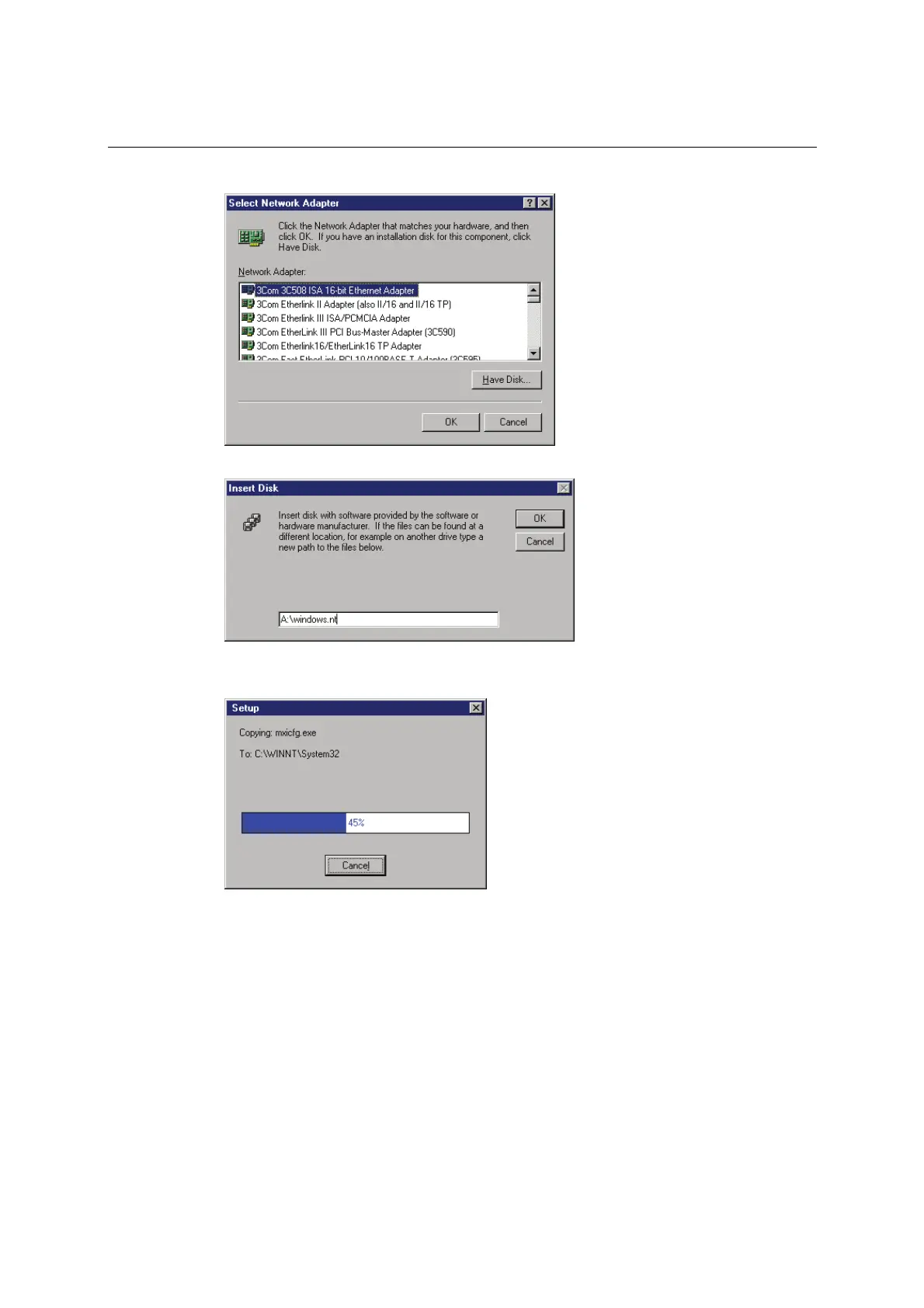
3. When prompted to select a network adapter, click Have Disk.
4. At the prompt, insert the installation disk provided with your module.
For the location, enter A:\windows.nt. Click OK to continue.
5. Windows will install the drivers.



 To Next Page