CA Series User’s Manual Software Installation
3-47
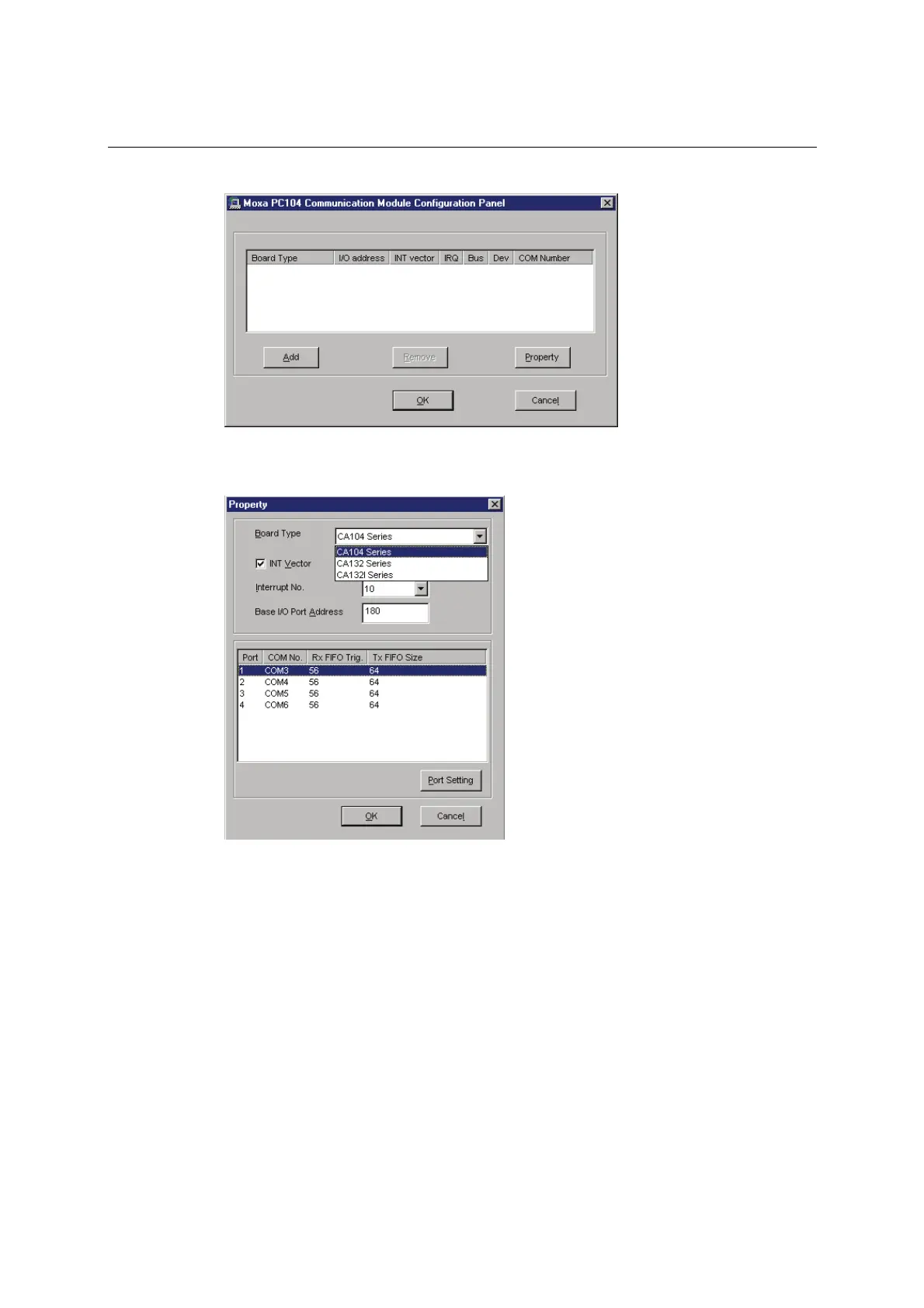
6. After the files have been installed, a configuration panel will open. Click Add to continue.
7. Under Board Type, select your CA Series model. The window will show the COM port
numbers that will be assigned to the CA Series serial ports, as well as other settings. Click OK
to continue.



 To Next Page