AccessingtheInstrumentPages
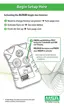
The Information page can be accessed by pushing the TEST button
once. This information includes:
1) Current oxygen reading in % O
2
(oxygen versions only)
2) Test gas mode
3) Functional check of LCD, vibrator, LEDs and horn
4) Gas type
5) Low Alarm setpoint ("LO" "Alarm")
6) High Alarm setpoint ("HI" "Alarm")
7) Minimum Oxygen concentration ("LO") - for oxygen only
8) Peak Reading
• Toxic ("HI")
• Oxygen ("HI")
• The Peak/Hi and Min/Low values can be cleared.
• When this page is displayed, press the TEST button to clear.
• "CLR" displays.
9) Alarm Time in hours (hour glass "HRS" and number of hours)
10) IR mode.
• When instrument displays "IR?", press button to enter IR
mode.
• If IR communications are not detected for three minutes or the
TEST button is pressed, the instrument will exit this mode.
• See FIGURE 2-5 for additional details.
2-10



 To Next Page