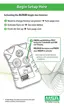
ActivatingtheAltairSingleGasDetector
1. The unit must be activated before it can be used to warn the user
of a potentially hazardous condition.
a. To activate the personal protection instrument, press and hold
the TEST button for three seconds until "ON" and "?" are
displayed.
b. Release the button and press once again to activate.
2. The following occurs:
• an LCD Functional Test activates the cell segments
• the horn, LEDs and vibrator also activate.
3. The Software Version displays for three seconds.
4. The instrument gas type displays for three seconds ("CO", "H
2
S",
or "O
2
").
5. Alarm Setpoints display the:
• LowAlarmSetpointfor three seconds
• "LO" and "ALARM" icons turn ON
a. To change the low alarm setpoint, press the TEST button
when "LO" "ALARM" display:
• "LO" "ALARM" "SET" "?" displays.
2-4



 To Next Page