The instrument displays an error code if it detects a problem during
startup or operation. See TABLE 5-1 for a brief description of the error
and proper corrective action.
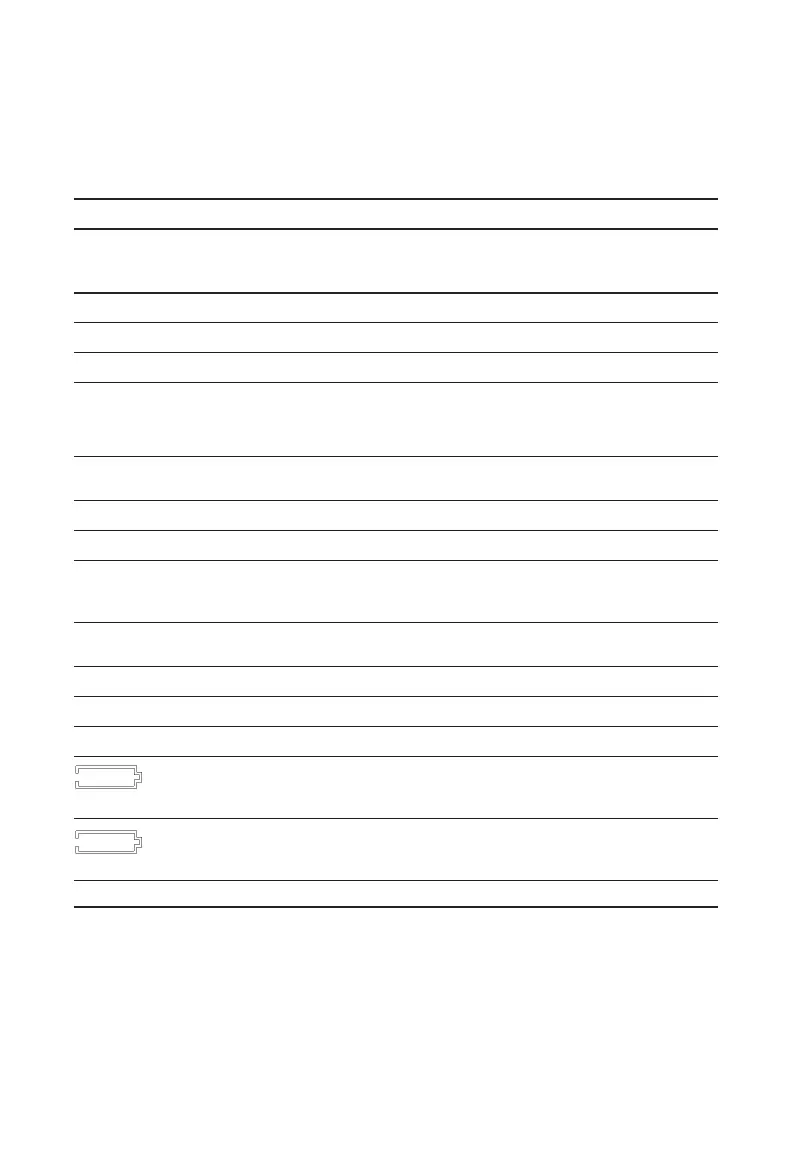
Table5-1.TroubleshootingGuidelines
PROBLEM DESCRIPTION ACTION
DISPLAY
TOGGLES
BETWEEN:
TMP/ERR Temperature out of range Contact MSA during warranty period
AD/ERR Sensor feedback error Contact MSA during warranty period
EE/ERR EEPROM inoperative Contact MSA during warranty period
MEM/RST EEPROM Data Error Calibrate instrument.
Reconfigure any custom settings
(alarm setpoints, datalog, etc.)
PRG/ERR Program Memory
inoperative Contact MSA during warranty period
RAM/ERR RAM inoperative Contact MSA during warranty period
TMR/ERR Time or Clock Error Contact MSA during warranty period
BTN/ERR Button error (stuck down) Contact MSA during warranty period
PWR/ERR Unexpected Power Loss Contact MSA during warranty period
Errors
LED/ERR LED inoperative Verify operation of two alarm
LEDs in alarm
VIB/ERR Vibrator inoperative Verify operation of vibrator in alarm
UNK/ERR Unknown Error Contact MSA during warranty period
UND/ERR Sensor Under range Calibrate instrument
Low battery warning
indicator (no alarm) Remove from service
Low battery Alarm
indicator (horn sounds,
/ERR LEDs activate Remove from service
SNS/ERR Sensor Error Contact MSA during warranty period.
5-3



 To Next Page