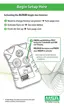
TochangeAlarmsetpointsbeforeactivation:
1. Press the "TEST" button once.
•"TEST" displays.
•. After approximately one second, all segments and the LED
activate.
• The horn, LEDs, and vibrator also activate
• The Software Version displays for three seconds
("CO", "H
2
S", or "O
2
").
2. Alarm Setpoints display the:
• LowAlarmSetpointfor three seconds
• LO and ALARM icons turn ON
a. To change the low alarm setpoint, press the TEST button
when "LO" "ALARM" displays:
• "LO" "ALARM" "SET" "?" displays.
b. Press and hold the TEST button to increment the low
alarm value.
c. Once the correct value displays, release the TEST button
and wait three seconds to continue.
• HighAlarmSetpointfor three seconds
• HI and ALARM icons turn ON
a. To change the high alarm setpoint, press the TEST button
when "HI" "ALARM" displays:
• "HI" "ALARM" "SET" "?" displays
b. Press and hold the TEST button to increment the high
alarm value.
c. Once the correct value displays, release the TEST button
and wait three seconds to continue.
3. Wait three seconds.
• the unit again turns OFF.
2-2



 To Next Page