EventLogging
• The Altair Single Gas instrument has the capability of recording 25
of the most recent events.
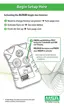
Press the TEST button.
• The instrument pages begin to display.
• Events will be transferred to the PC during this sequence, if:
• the top of the instrument is pointed toward the optional IR
Receiving device
• a PC is running MSA FiveStar Link Software (P/N 710946)
• "CONNECT" is pressed in the PC FiveStar LINK Software
package.
• The following events are recorded:
• Alarm - Alarm Type - Alarm Value - Time/Date
• Alarm Clear - Alarm Type - Alarm Value - Time/Date
• Cal (Pass/Fail) - Time/Date
• Bump (Pass/Fail) - Time/Date
• Error Non-Shutdown - Error Type (See Error List) - Time/Date
• End of Life - Reason (Error - see Error List) - Time/Date.
NOTES:
• The time and date is based on the PC time and date.
Ensure the PC is correct before the events are transferred.
• Instrument power loss can result in lost time in the
session log.
Figure 2-5. Accessing Altair Pages Flow Chart
2-12



 To Next Page