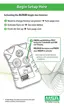
a. To change the expected calibration gas:
1) Press the TEST button.
• "TEST" "SET" "?" "ppm" displays.
2) Press the TEST button again to set (hold the TEST button
to scroll to a different value).
3) Wait three seconds to return to the Calibration mode.
b. Apply the appropriate test gas
• The display toggles between the current gas reading, the
hourglass and "CAL".
• Once the instrument passes calibration (this will take no
more than 90 seconds), "OK" displays.
• Otherwise, "ERR" displays.
• Wait five seconds to return to the normal operating mode.
Theexpectedgasconcentrationsmustmatchthegascon-
centrationslistedonthecalibrationcylinder(s).Failuretofol-
lowthiswarningwillcauseanincorrectcalibration,which
canresultinseriouspersonalinjuryordeath.
c. If "ERR" displays after calibration, the current settings did not
change. Immediately check that:
• The calibration cylinder matches the expected calibration
value expected in the instrument
• The calibration cylinder is not empty and has not expired.
• The regulator is 0.25 liters/minute
• The tubing is seated in the front instrument case during
gas calibration mode.
• If necessary, repeat steps 1 through 6.
• The display must read "OK"; if "ERR" remains, remove the
instrument from service.
d. Perform a bump test to confirm operation and activate the "√".
!
WARNING
4-3



 To Next Page