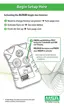
3. Press the TEST button at the "FAS" "?" screen to perform a
calibration at 20.8% O
2
.
NOTE: This procedure must be performed in fresh,
uncontaminated air. Do not breathe on the sensor while
performing this function.
• If the successfully calibrates:
• "OK" displays
• If the sensor does not successfully calibrate:
• "ERR" displays.
4. Wait five seconds.
• The instrument returns to normal operating mode.
5. If "ERR" displays after calibration, the current settings did not
change. Immediately check that:
• The instrument is in fresh, uncontaminated air during the
calibration process
• No one breathes on the sensor during calibration.
• Repeat steps 1 through 6, as necessary.
6. The display must read "OK"; if "ERR" remains, remove the
instrument from service.
7. Perform a bump test to confirm operation and activate the "√".
4-7



 To Next Page