20
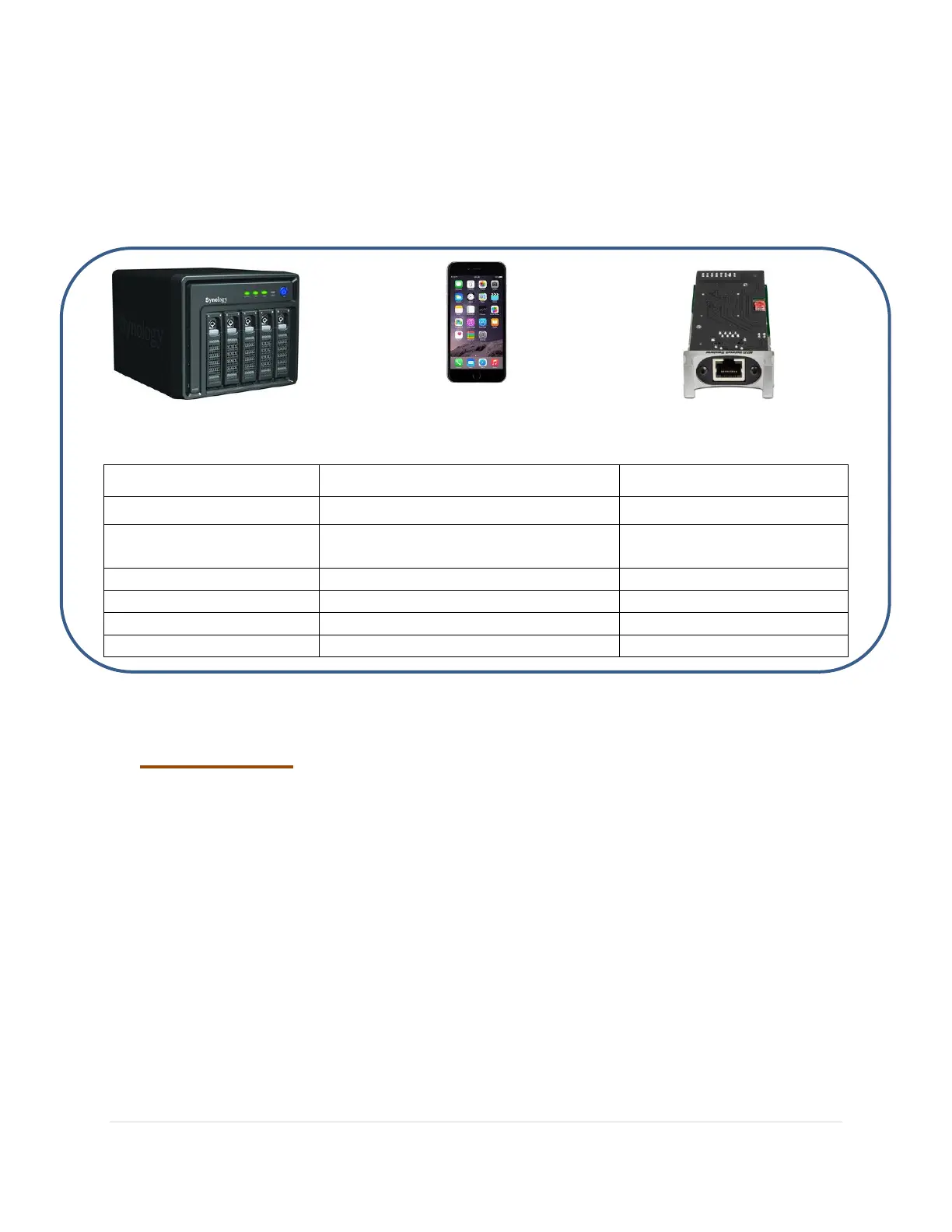
Diagram 2 below gives a quick overview of these 3 main components with some of their many
different alternate labels shown in the table below, which are either elements of, or used
interchangeably.
Diagram 2: Network Audio Terminology
Server Controller Renderer
UPnP Media Server Control Point
Digital Media Server
(DMS)
Digital Media Controller (DMC)
Digital Media Renderer
(DMR)
UPnP Rendering Control DCP
UPnP Remote User Interface (RUI)
1. Media Server
The media server can be seen as two entities combined into one, the physical hardware and the
software side. Physically it is the main location for your music library and contains all your
music files. You audio library can be stored on a computer (Apple, Windows or Linux) or on a
NAS (Network Attached Storage –a specialized, often Linux based, file sharing computer).
From the UPnP software perspective, the media server is an UPnP Media Server program
which needs to be running continuously in the background on the computer or NAS, and will
need to be connected to your home network. The job of the UPnP Media Server is to advertise
itself on the network and to 'serve' the audio files to the 'Renderer' when asked to do so by the
Controller. It will also provide the Controller with audio file metadata and format.
Hardware and network reliability as well as UPnP Media Server program stability and file
handling capability are crucial. A gigabit network is highly recommended to avoid dropouts.



 To Next Page