56
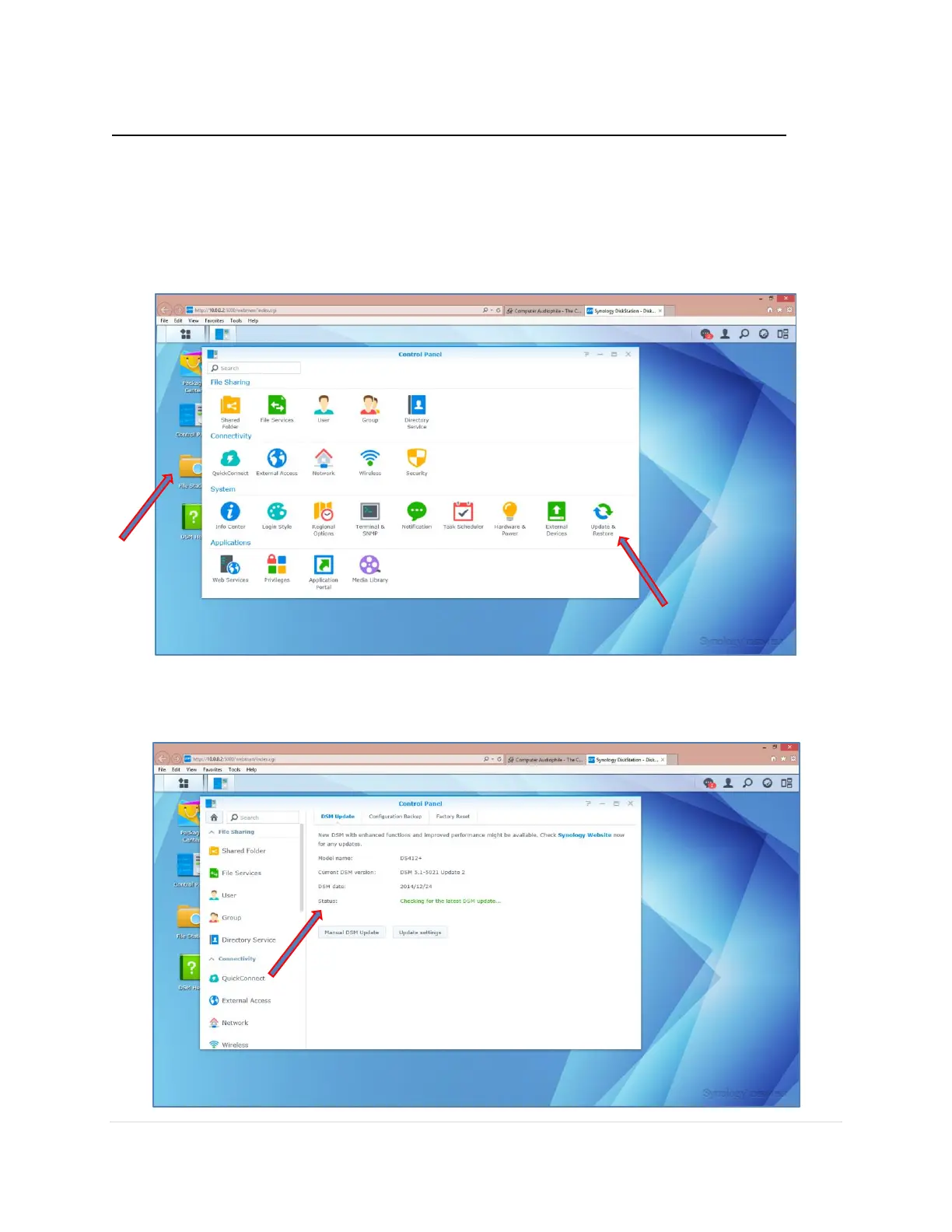
Step 3. Update the Synology Operating System DSM to the latest version
Since you purchased the NAS updates may have been made by Synology for additional
functionality, security or bug fixes.
1. On the NAS Desktop Click on the Control Panel icon.
2. Click on Update & Restore.
3. The NAS will automatically start checking if you have the latest version. You can check
the progress in the Status.



 To Next Page