69
7.3 MinimWatch Installation
MinimWatch is not necessary to start enjoying your MSB Renderer with MinimServer, but it is a
separate program which will be run on your laptop. It is used to make further setting changes and
updates to the way the MinimServer UPnP server functions. It is MinimServer’s optional
administrator monitor and control program.
It is also where you can setup elements such as library name, transcoding rules, tag options,
MinimStreamer, update the MinimServer program versions and review log notifications.
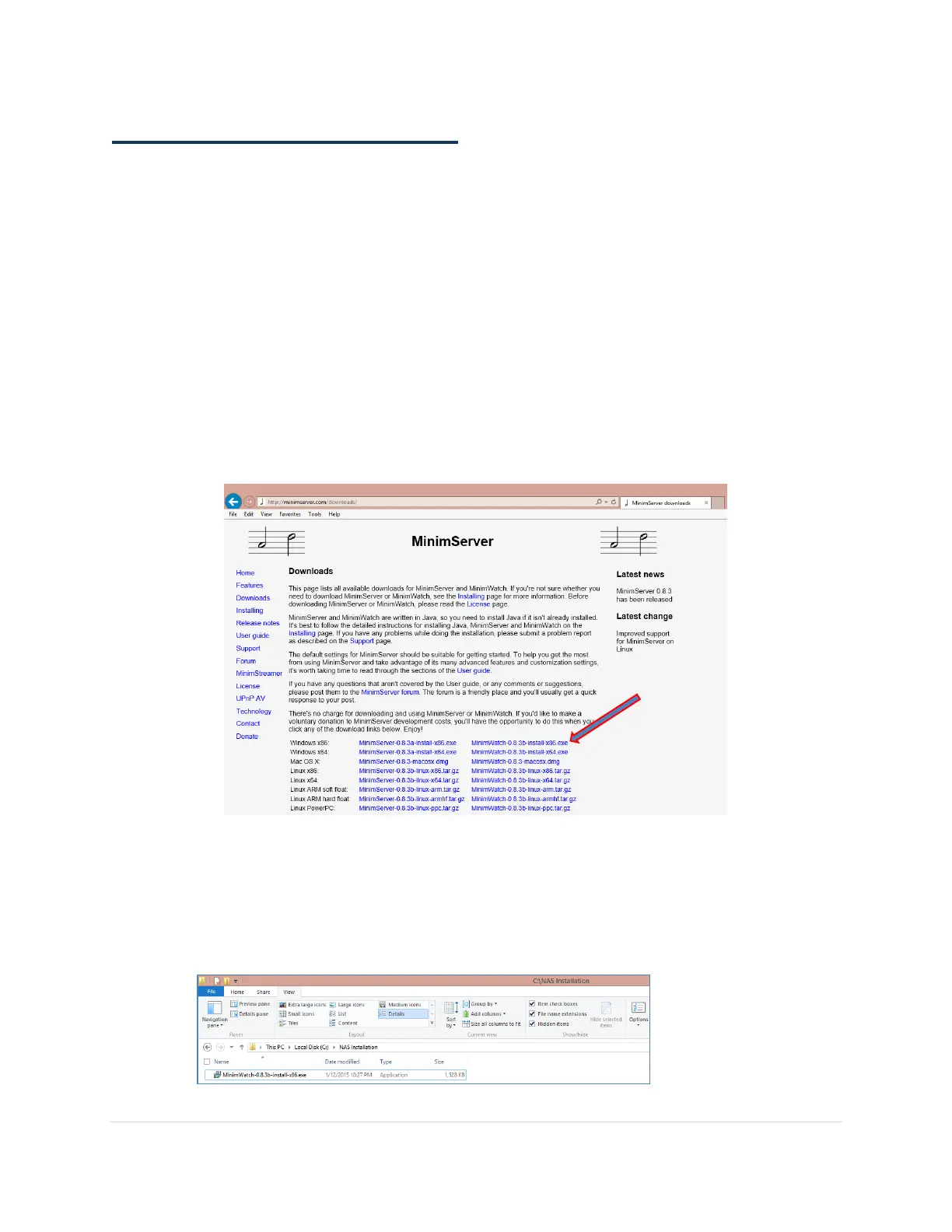
1. Navigate to the MinimServer download website on your laptop (Not the NAS) and be
careful to choose correct version for your Operating System. If you are using 32 bit java on
your laptop use 32 bit MinimWatch.
http://minimserver.com/downloads/
2. In this case since the laptop is using 32 bit Java on Windows 8.1 the installation file is called:
MinimWatch-0.8.3b-install-x86.exe
3. Save the installation file on a folder on your laptop



 To Next Page