51
Step 2. Setup File Sharing
The setup is important in being able to access the files on the NAS via the Windows Explorer on
your laptop, easily allowing copying, dragging and dropping of files and managing your audio
library.
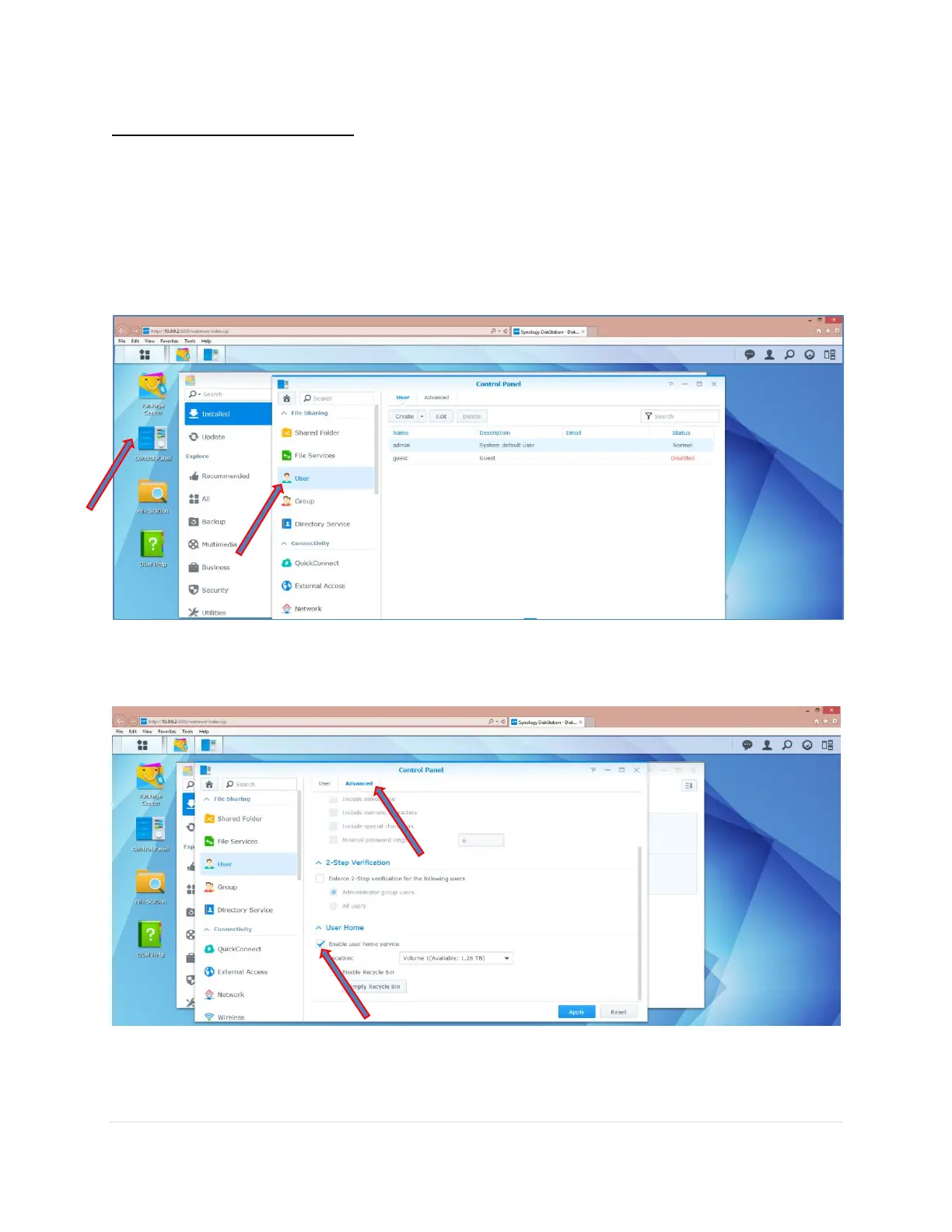
1. Click on the Control Panel icon.
2. Click on User.
3. Click on the Advance Tab and scroll down to User Home
4. Check the Enable user home service box



 To Next Page