76
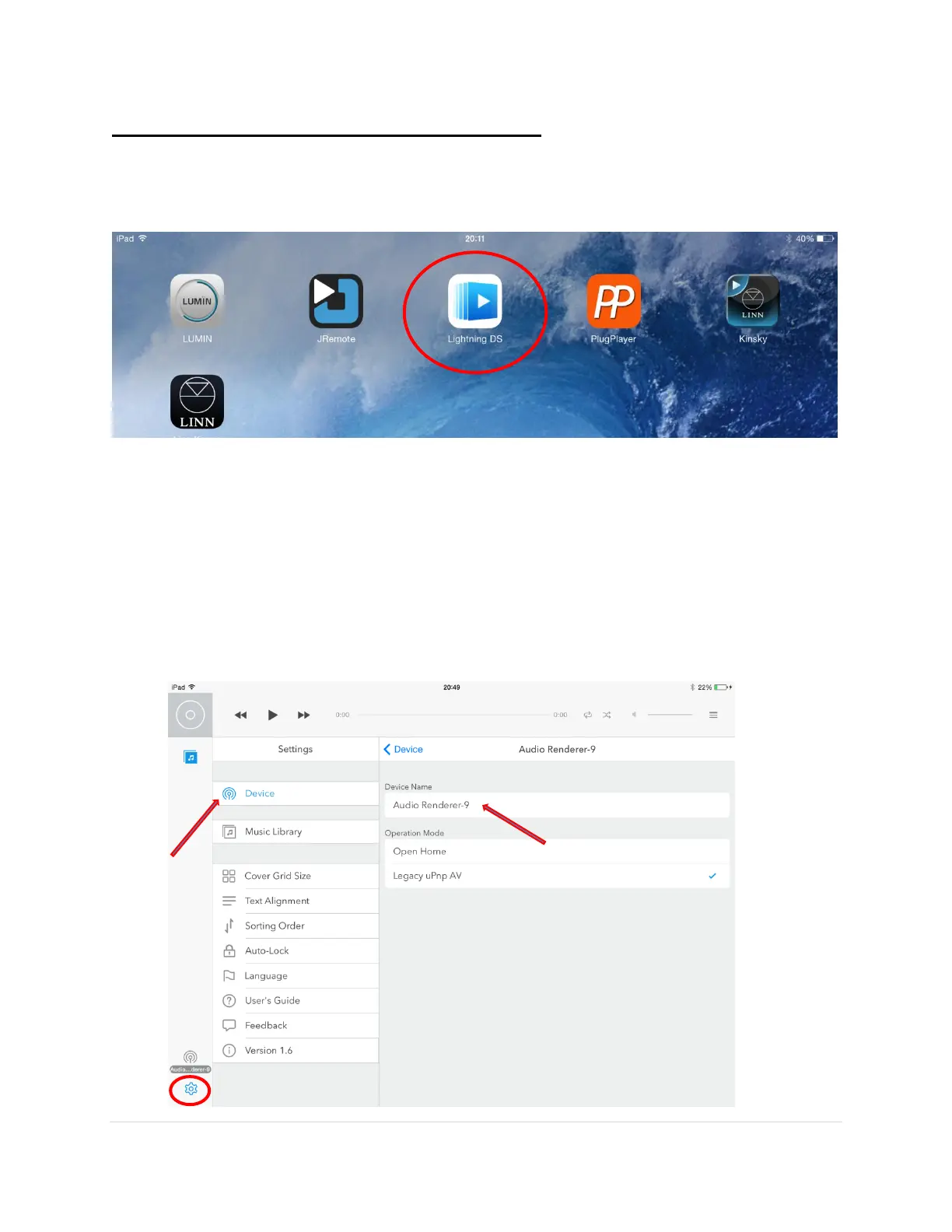
Step 2. Open the Lightning DS App and Setup
1. Open the Lightning app on the iPad
Note
: Make sure your DAC and NAS are turned on and MinimServer is running.
2. Tap on the
Settings
button in the bottom left-hand corner. Select
Device
. Make sure the
MSB Renderer (default name is
Audio
or
MSB Tech Renderer-X
, where X is the last digit
of the IP Address given to the MSB Renderer by your router) is showing and select it.



 To Next Page