65
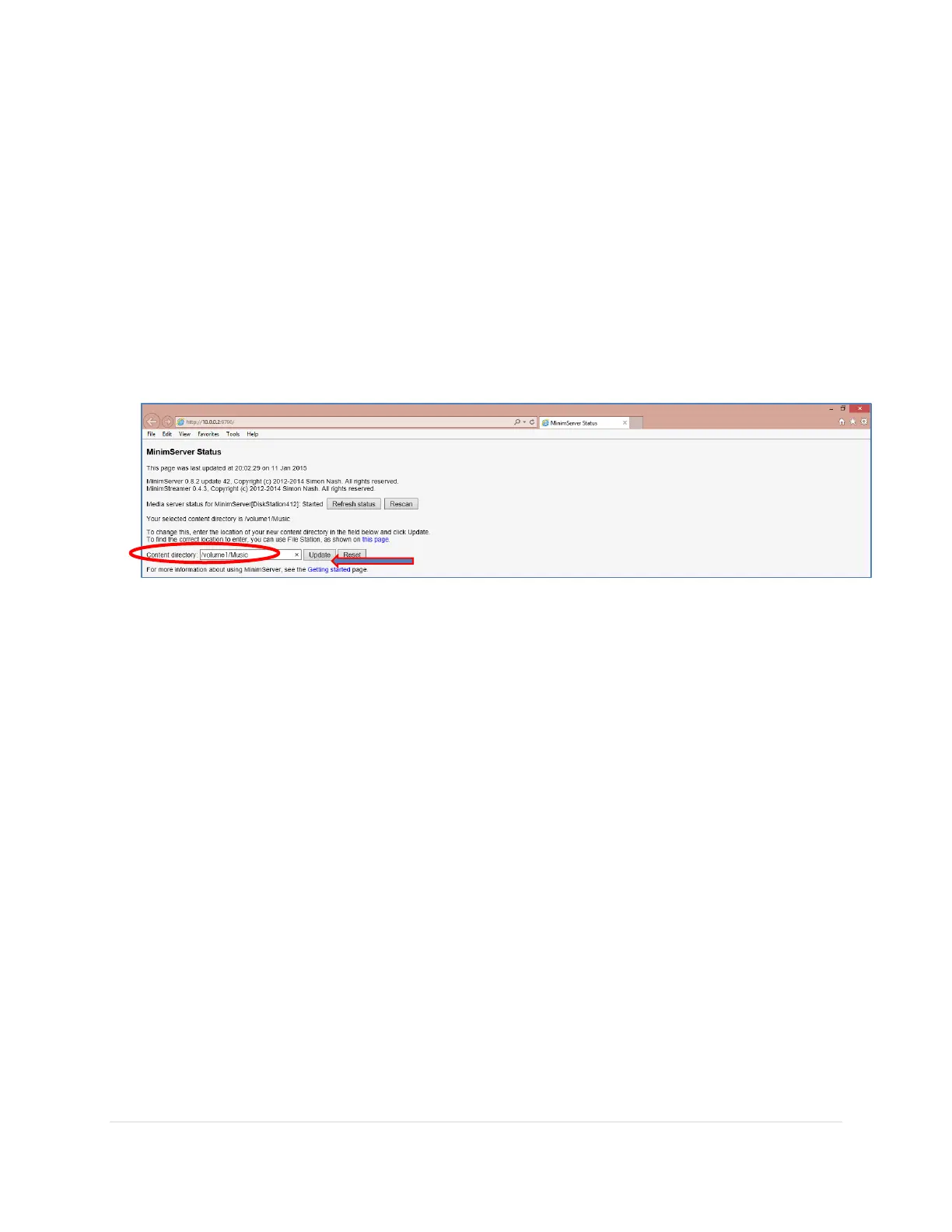
8. The MinimServer Status webpage will open up in your internet browser on your laptop.
This page shows a few important elements of the MinimServer UPnP Server.
a. It will show the UPnP Server status: Started is when it is up and running
b. The Rescan button allows you to re-index the library. This is helpful if you have
just added a few new albums to your library folder.
c. The Content Directory points to the folder where your audio files are stored
d. Helpful hyperlinks to a Getting Started guide and File Station to find your
library directory
9. Add your NAS music folder in the Content Directory field and click the Update button.
You can find the music folder name using the File Station (NAS version of Windows
Explorer). You will only have to do this once.
10. More information about MinimServer can be found on their website:
http://minimserver.com/synology/contentdir.html



 To Next Page