Mounting and installation
Mounting the terminal in the vehicle cab
4
Mounting and installation
Mounting the terminal in the vehicle cab
You need a bracket to mount the terminal in the vehicle cab. The following brackets are available.
31322507 Optional bracket No
▪ For a more sturdy attachment of the
31322508 Optional adapter No
▪ Is mounted on bracket 31322507.
▪ Suitable for vehicles without a B
column.
▪ Is mounted around a pipe.
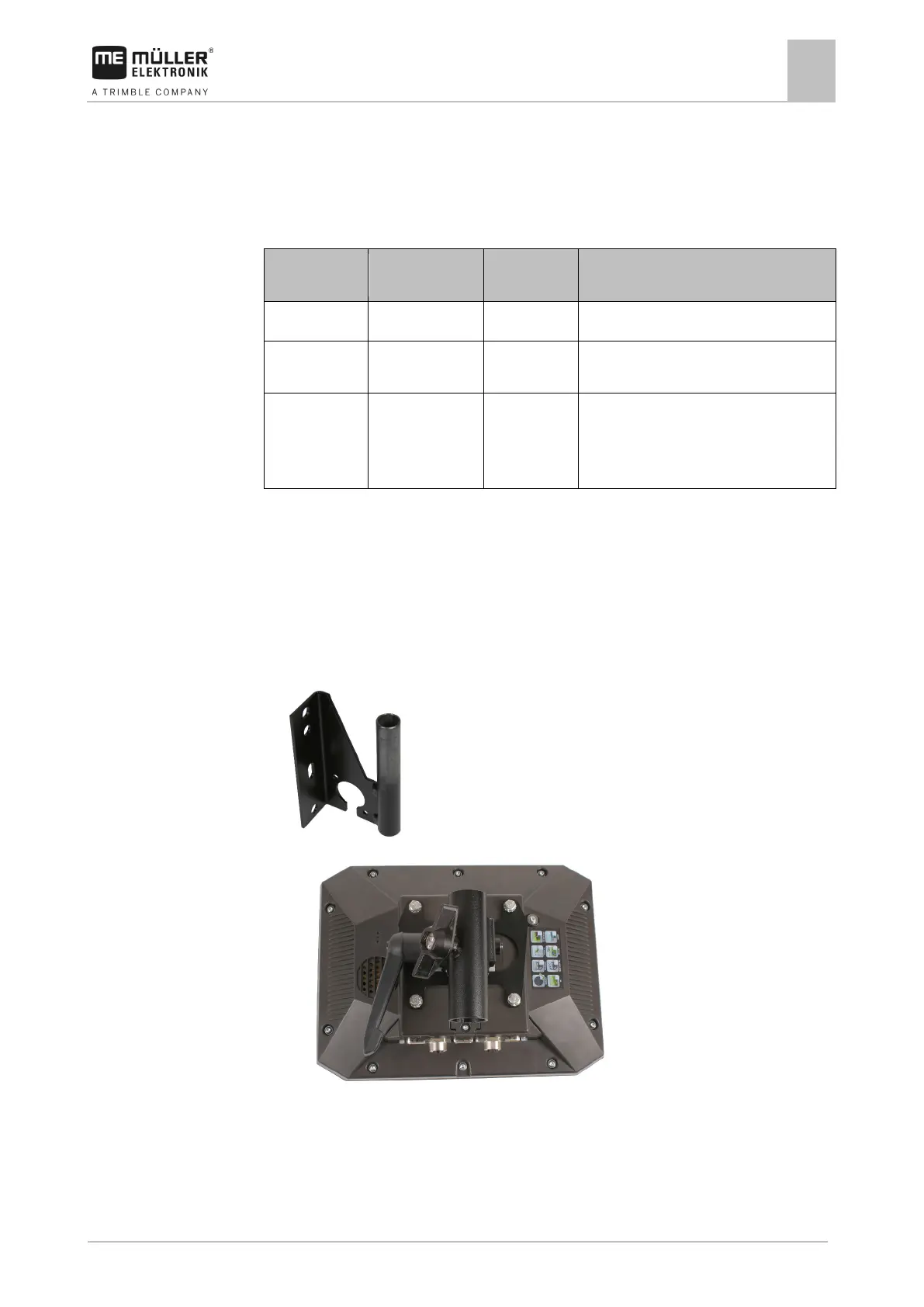
Mounting the standard bracket
You have the VESA bracket assembly kit within reach.
1. Assemble the bracket together.
2. Secure the bracket with the four screws on the back side of the terminal.
3. Secure the terminal in the vehicle cab. You can, for example, use the ME mounting bracket for
this purpose. It is included in the scope of delivery of the ISOBUS basic vehicle harness.
⇨ Your terminal should be mounted as follows:
4. Check that your terminal is firmly mounted.
⇨ You can now connect cables to the terminal. [➙ 11]



 To Next Page