8
Tractor-ECU application
Parameter
You have selected the value "Wheel sensor" or "Radar sensor" in the "Speed" parameter.
1.
- Open the Tractor ECU application.
2. Tap “Settings”.
3. Mark the vehicle for which you want to calibrate the speed sensor.
4. Tap
.
5. Tap
.
6. Follow the instructions on the display screen.
⇨ You have calibrated the speed sensor.
Calibrating an analog work position sensor
If you have connected an analog work position sensor to the terminal, you have to show the terminal
the position as of which the implement is in work position.
You have connected a work position sensor directly to the terminal or via the signal socket to the
terminal.
You have selected the analogue sensor in the “Sensor type” parameter.
1.
- Open the Tractor ECU application.
2. Tap “Settings”.
3. Mark the vehicle for which you want to calibrate the analog work position sensor.
4. Tap
.
5. Move the implement into work position.
6. Tap
to teach-in the work position on the terminal.
7. Confirm.
⇨ You have configured the work position sensor.
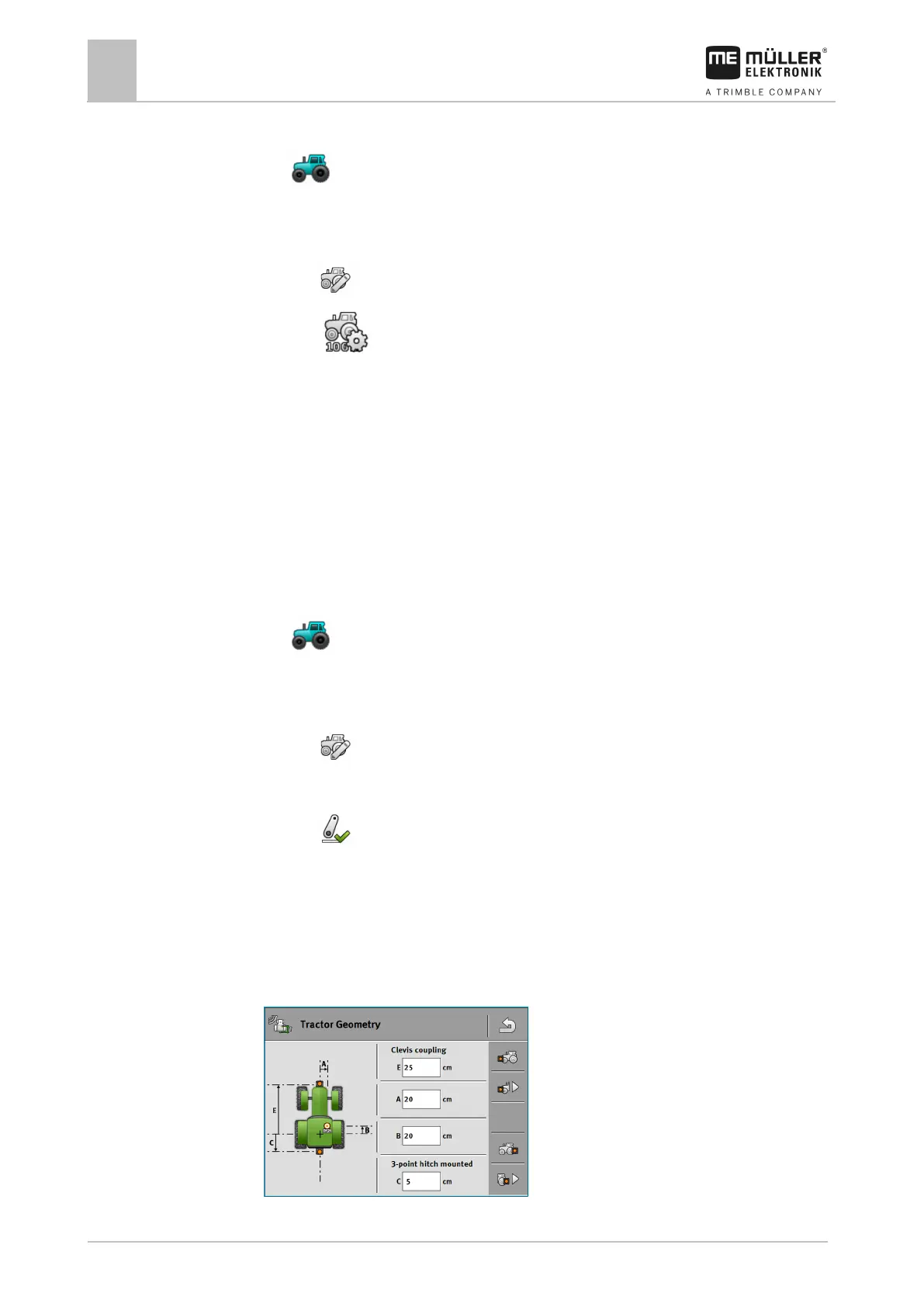
Tractor geometry
The tractor geometry represents a series of dimensions on the vehicle.
Examples of tractor geometry



 To Next Page