6
Connecting and configuring external devices
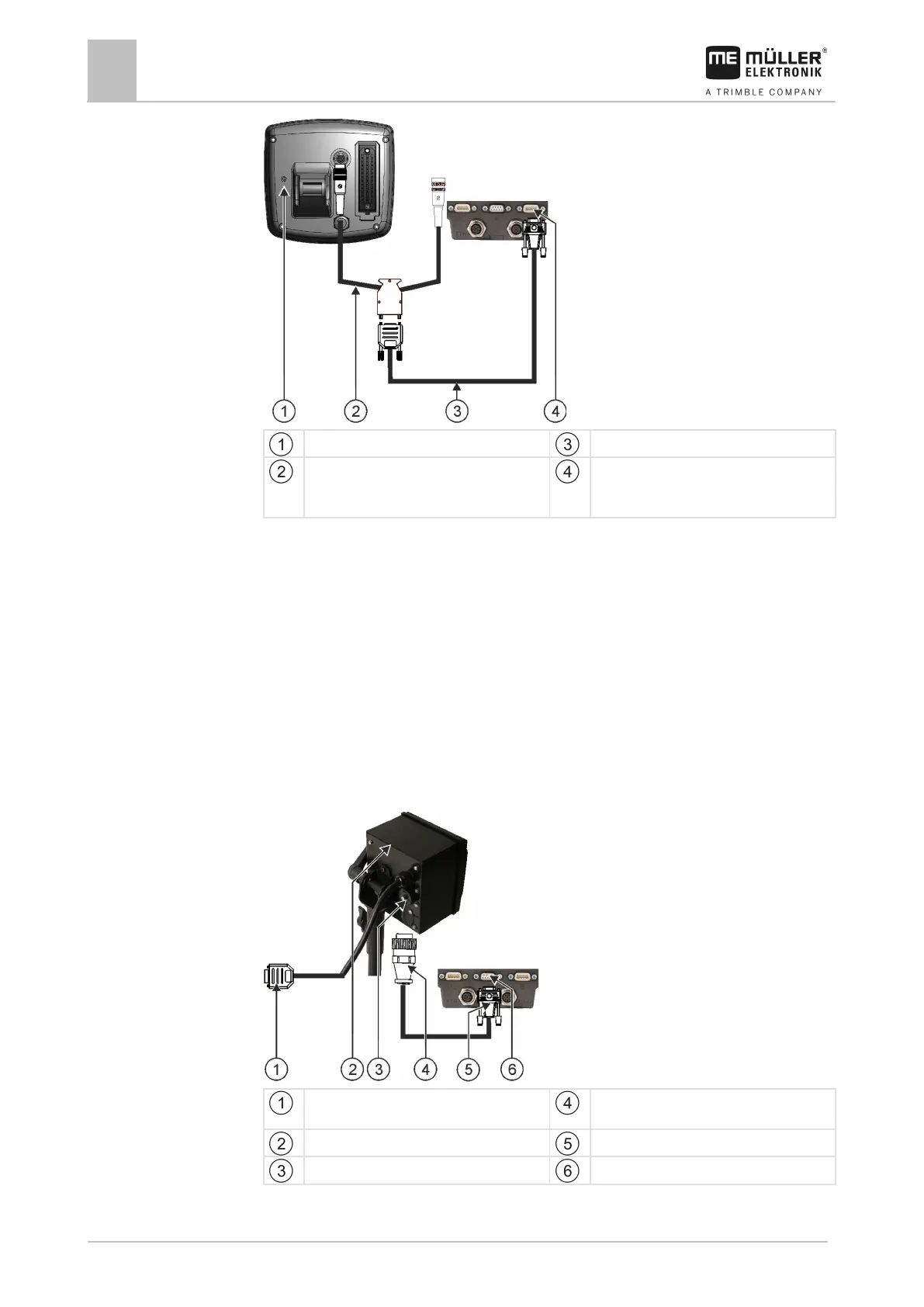
ISO Printer
On-board integrated display/controller
Null modem cable
Adapter cable*
Available as a set with Cable 3, item number:
Connector B of the terminal
*When using an Amatron3 or Amatron+ as on-board integrated display/controller, you will only need a
traditional null modem cable. (Amatron3 and Amatron+ are on-board integrated display/controller
from Amazone)
1. After connecting the on-board integrated display/controller to the terminal, create a virtual job
computer for the machine. More about this in section: Virtual ECU application [➙ 61]
ISO Printer
Connecting the ISO printer to the terminal
The ISO printer is used to print out information from an ISO-XML task.
9-pin Sub-D connector for connection to
Connector for connection to ISO printer socket
ISO Printer
Connector for connection to the terminal
ISO Printer socket
CAN Bus port



 To Next Page