6
Connecting and configuring external devices
Camera
Adapter cable for the ME sensor Y work position sensor
You can also connect the terminal to the signal socket.
Cable to the signal socket
7-pin to 9-pin socket Cable directly to the signal socket
Transmits the speed and work
30322548
You must activate the work position sensor [➙ 54] and possibly the wheel sensor [➙ 53] or radar
sensor in the Tractor-ECU app and calibrate if necessary.
Camera
Connecting the camera to the terminal
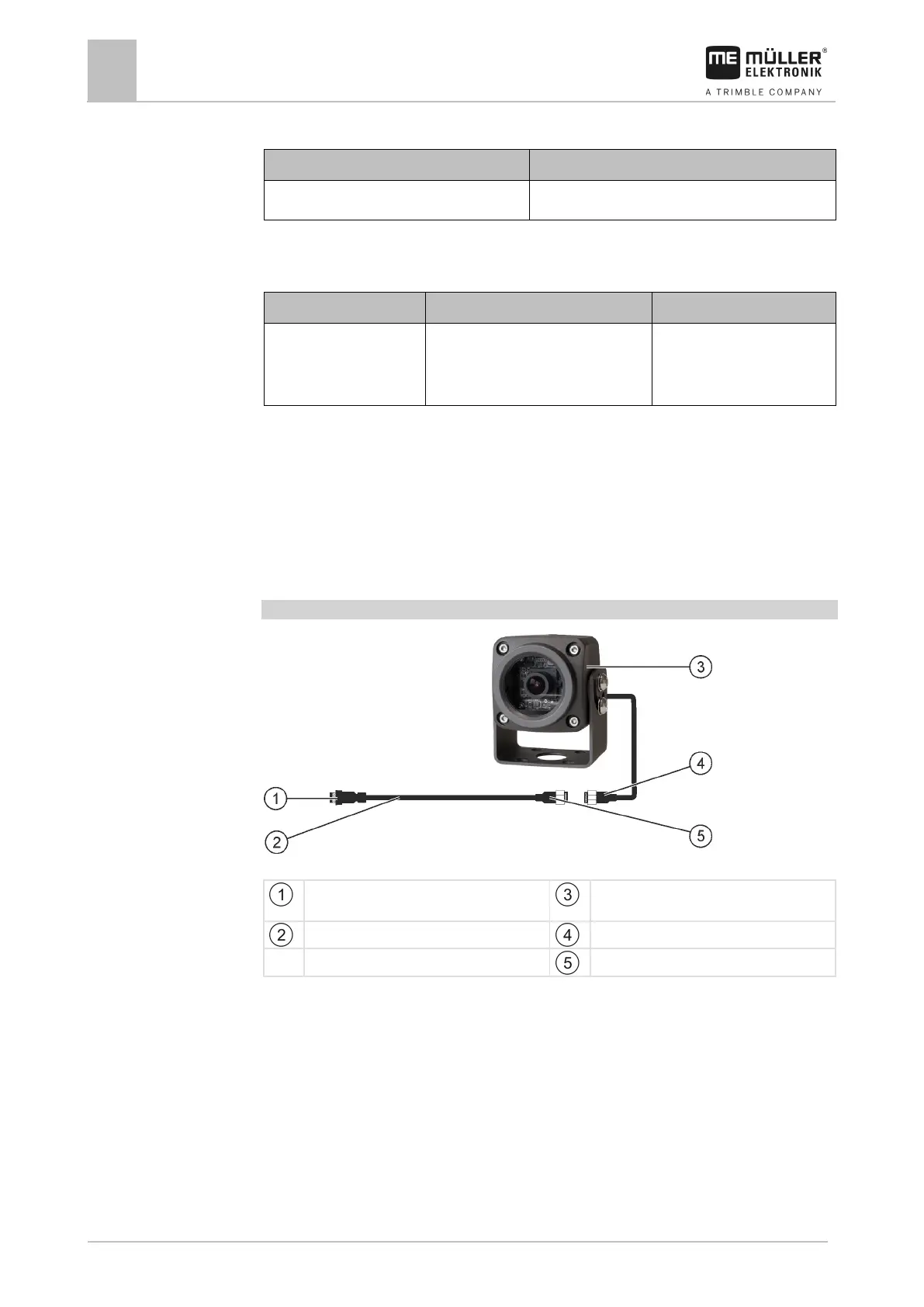
Connecting the camera HQ2
Camera HQ2 - Connection to the Touch Terminal
Connector for connection to the terminal.
Camera HQ2
Extension cable
Camera connector
Connector for the camera plug
1. Assemble the camera together with its bracket, as described in the assembly instructions of the
camera manufacturer.
2. Connect the camera to the extension cable.
3. CAUTION! When laying out the extension cable, ensure that there are no kinks and that
no one can stumble over the laid-out cable.
4. Connect the extension cable to the CAM port of the terminal.
5. Secure the camera.
6. Activate the camera. [➙ 39]



 To Next Page