Connecting and configuring external devices
Camera
6
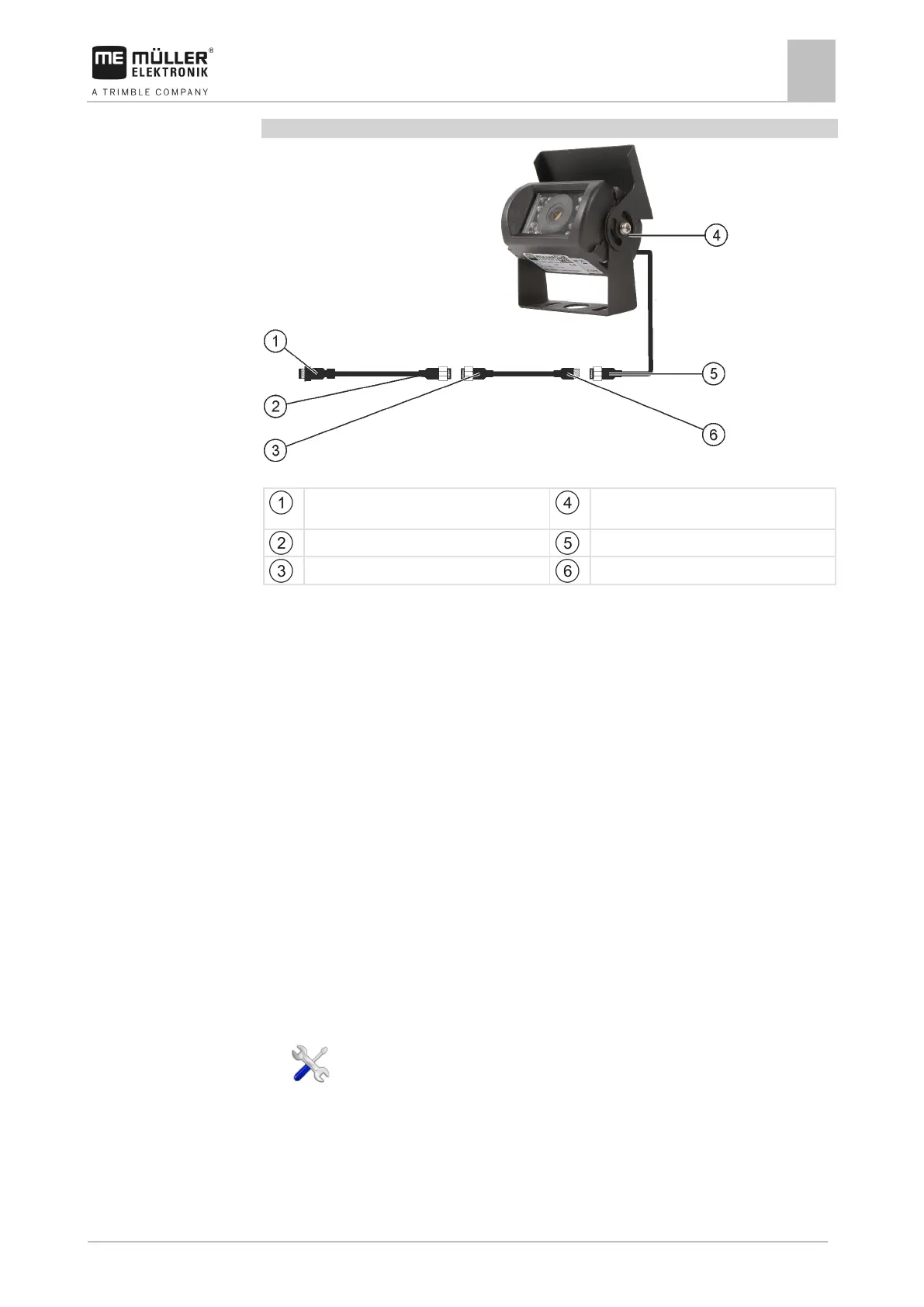
Connecting the camera NQ
Camera with adapter cable
Connector for connection to the terminal.
CAM port
Connector for the adapter cable
Camera connector
Connector for the extension cable
Connector for the camera plug
1. Connect the cables to each other as shown in the figure. Pay attention to cable lengths when
doing so.
2. CAUTION! When laying out the cable, ensure that there are no kinks in the cable and that
no one can stumble over the laid-out cable.
3. Lay out the cable. Ensure that the cable reaches the terminal and is not pulled out during
operation.
4. Attach the cable with the provided cable ties.
5. Secure the camera. Use the white cardboard drilling template from the quick start guide for this
purpose.
6. Connect the camera to the terminal. Use the CAM port to do this.
7. Activate the camera. [➙ 39]
8. When disconnecting the cable from the terminal, use the enclosed rubber gasket to seal the
exposed connector.
Activating a camera
In order to activate a camera, you must activate the “Camera_ME” plug-in.
1. - Open the “Service” application.
2. Tap “Plug-ins”.
3. Tap “Camera”.
⇨ The plug-in is marked with a green tick.
4. Restart the terminal.



 To Next Page