Video Grabber DGR-1000 User Manual - v. 1.4 (FW 1.9)
4. Video Grabber Web Interface
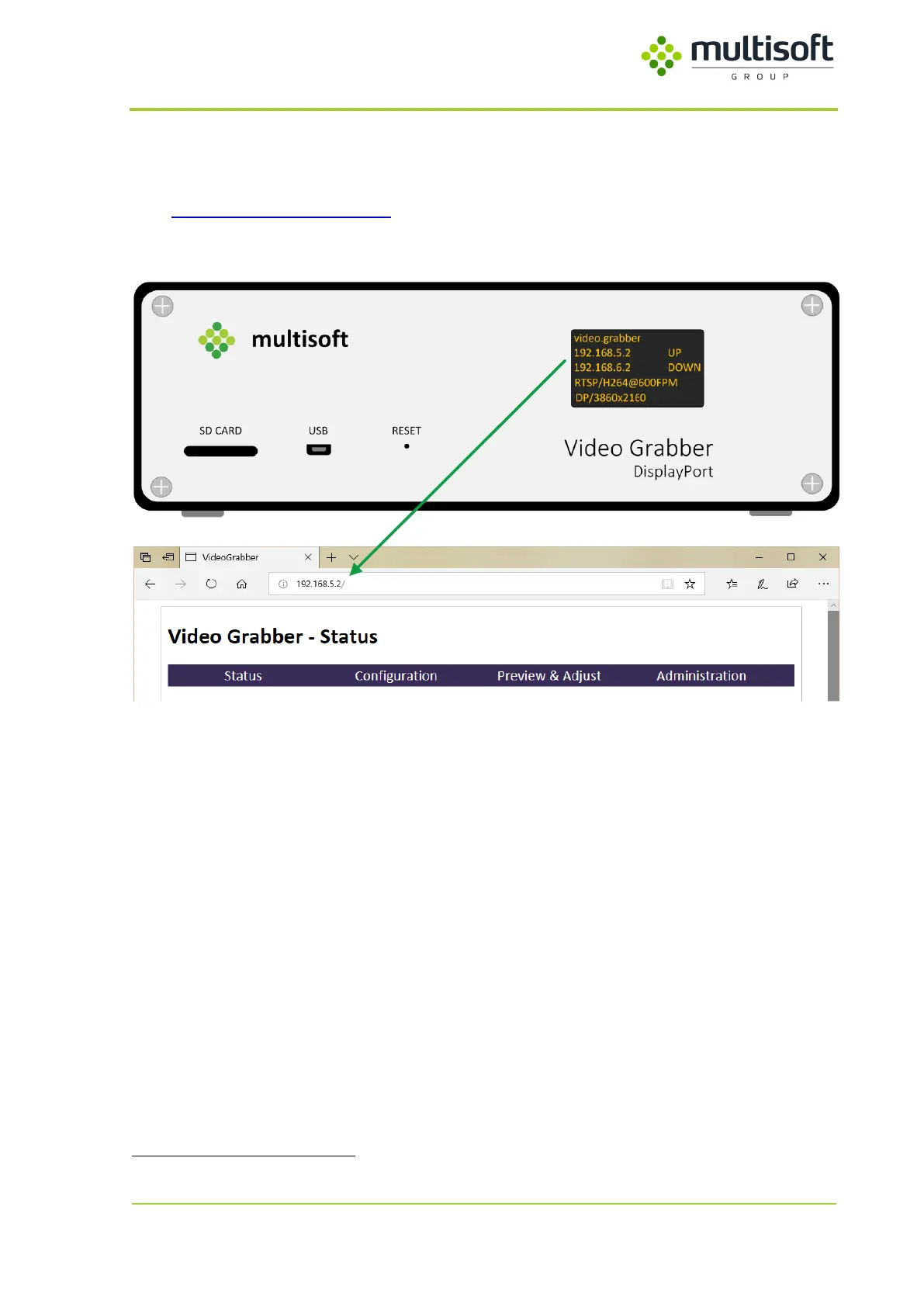
In order to access Video Grabber Configuration, one can use a web browser
. In the address field please
type http://video.grabber.ip.address where video.grabber.ip.address - is an IP Address which is
displayed on the screen in front of the device.
Figure 11: Connecting to the Video Grabber's web interface
Video Grabber’s web interface is divided into four main sections:
1. Status – shows the runtime parameters of the device
2. Configuration – allows configuration of the device
3. Preview & Adjust – allows video capture preview and adjustments
4. Administration – allows change of the SNMP credentials
Apart from the Status section all sections require providing login credentials:
Username: grabber
Password: vgbr2014
Video Grabber’s web interface should work with any reasonably modern web browser. It has been tested to
work with: Internet Explorer 11, Microsoft Edge, Chrome 70 and Mozilla Firefox 60.



 To Next Page