Video Grabber DGR-1000 User Manual - v. 1.4 (FW 1.9)
4.1.4. Video
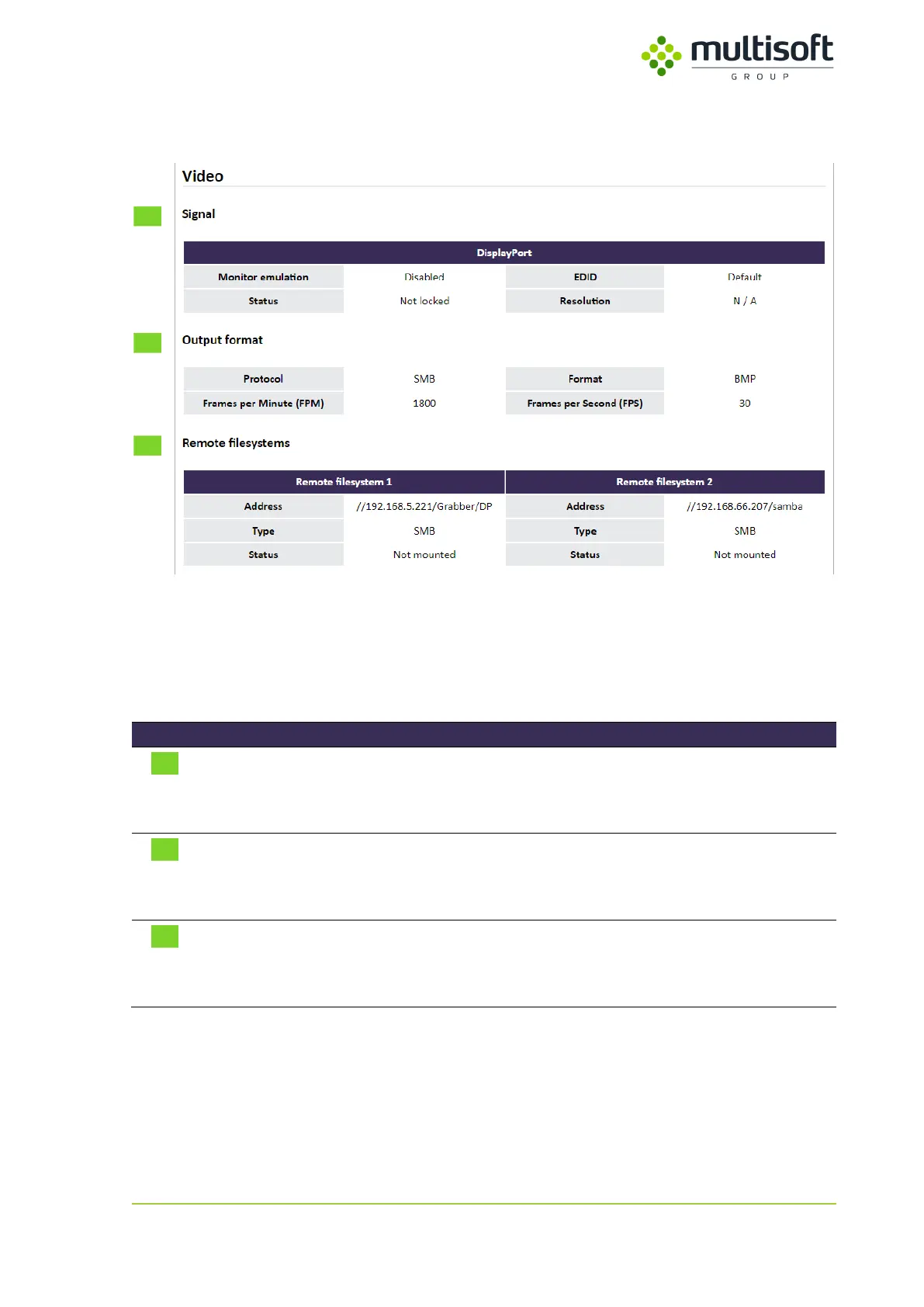
Figure 16: Video section on the Status page
In the fourth section of the Video Grabber’s Status page one can find information on the status of its
video capture process. It is divided into three subsections, see their descriptions in the table below:
Contains information related to the signal connected to the Video
Grabber
See 4.1.4.1, p. 19
Contains information related to the protocol/signal settings currently
used by the Video Grabber
See 4.1.4.2, p. 20
Contains information on the configured remote filesystems (SMB/NFS).
Shown only when either SMB or NFS protocol is set
See 4.1.4.3, p. 21
Table 5: Description of the subsections available in the Video section on the Status page



 To Next Page