Video Grabber DGR-1000 User Manual - v. 1.4 (FW 1.9)
3.3. Monitor emulation
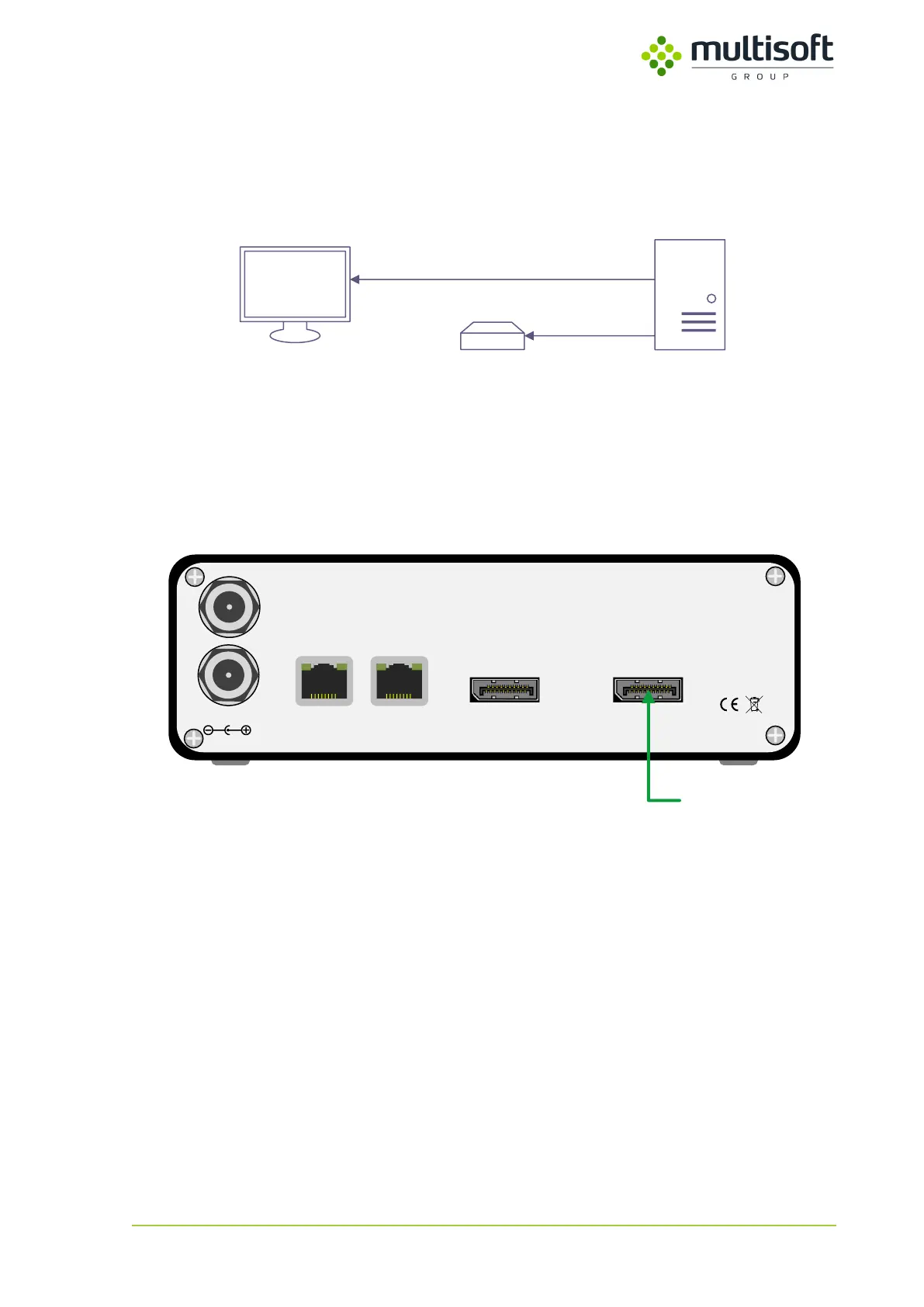
Computer sends the same video signal on two of its video ports. One is connected to the monitor and
the other is connected to the Video Grabber. See the connection details below.
ComputerMonitor DGR-1000
Mirrored
outputs
Figure 7: Monitor emulation connection schema
One of the computer’s video outputs is connected to the DGR-1000’s video input port while the other
is connected to the monitor. When ‘Monitor emulation’ is enabled in the Video Grabber’s
configuration it is detected by the computer as a monitor and as such can be configured as a mirror of
an actual screen in the computer’s graphic card configuration.
12V/1.5A DC
LAN 1
Made in EU
LAN 2
VIDEO OUTPUT VIDEO INPUT
PWR1
PWR2
Computer
Figure 8: Video cable connection required for the monitor emulation



 To Next Page