EasyManua.ls Logo

MULTISOFT DGR-1000 - Device Overview; Front Panel Components; Back Panel Components

MULTISOFT DGR-1000
83 pages
Print Icon
To Next Page IconTo Next Page
To Previous Page IconTo Previous Page
Loading...
Video Grabber DGR-1000 User Manual - v. 1.4 (FW 1.9)
6
2. Device overview
2.1. Front panel
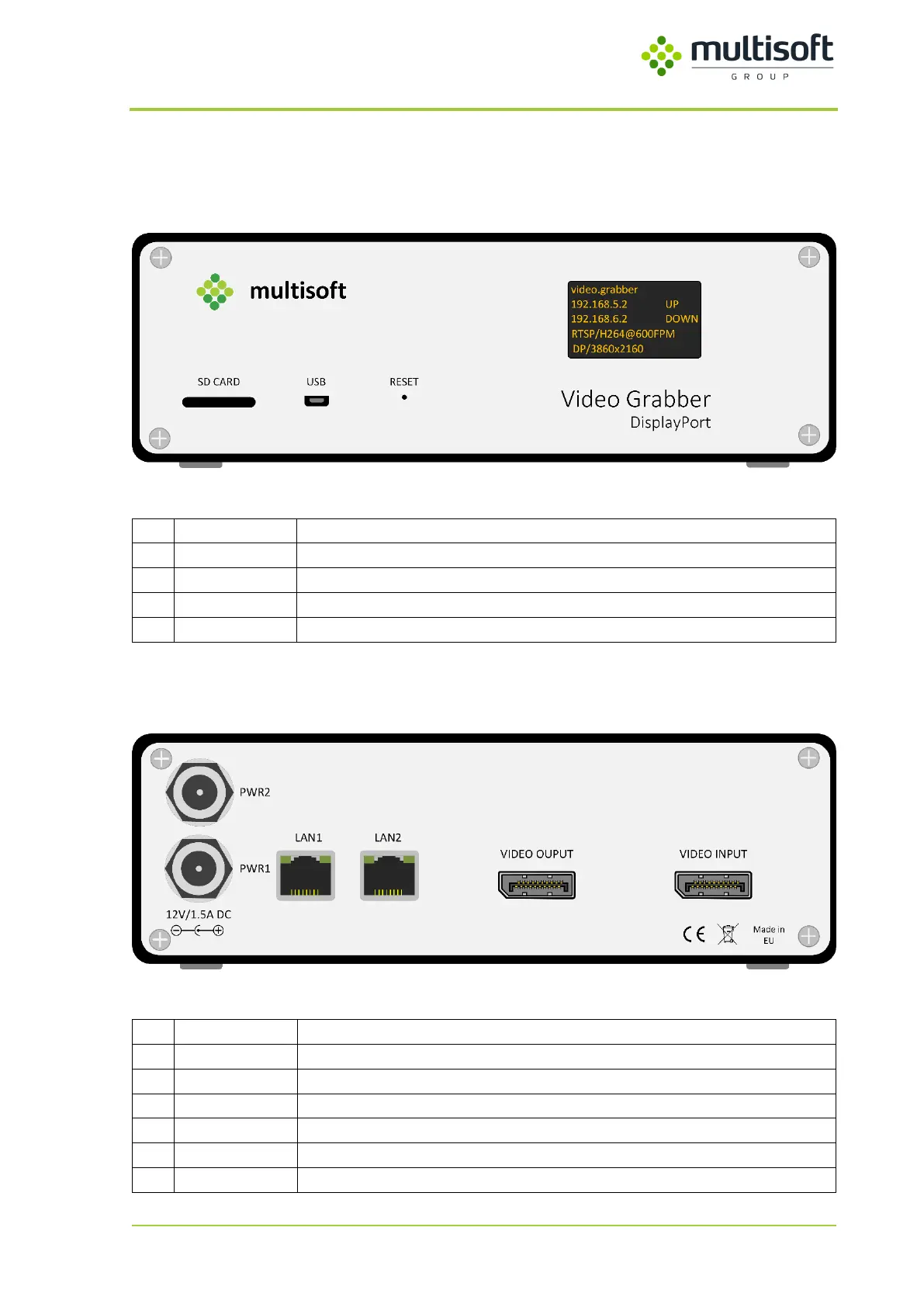
Figure 1: Front panel of the Video Grabber DGR-1000
No.
Name
Description
1
SD Card
Used for firmware update and factory reset
2
USB
Used for firmware update and diagnostics
3
Reset
Used to reboot the device
4
OLED screen
Displays Video Grabbers runtime information
2.2. Back panel
Figure 2: Back panel of the Video Grabber DGR-1000
No.
Name
Description
1
PWR1
Primary power connector
2
PWR2
Secondary power connector
3
LAN1
Frist network interface
4
LAN2
Second network interface
5
VIDEO OUTPUT
DisplayPort, output signal
6
VIDEO INPUT
DisplayPort, input signal

Related product manuals