Video Grabber DGR-1000 User Manual - v. 1.4 (FW 1.9)
4.3. Preview & Adjust page
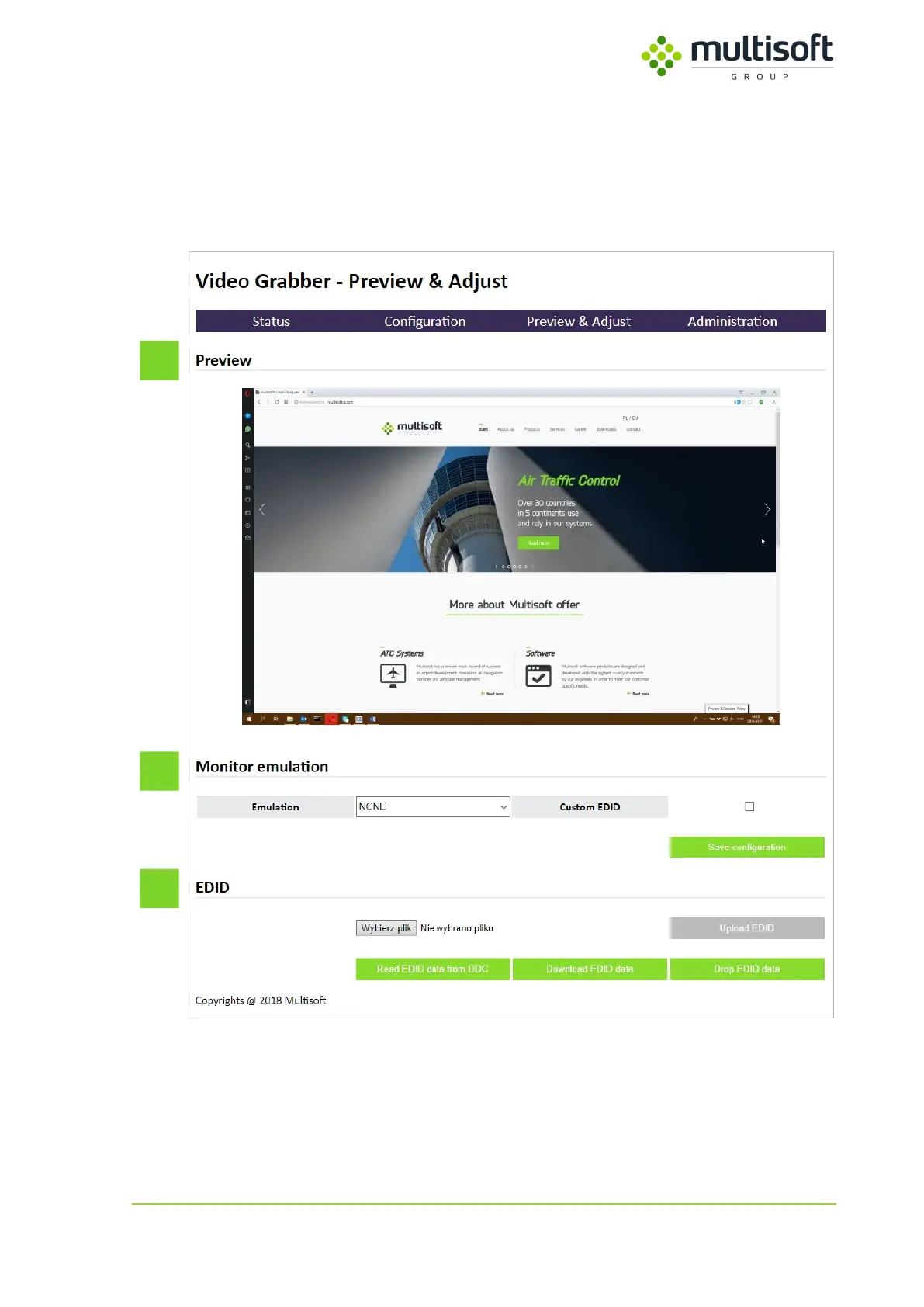
Preview & Adjust page allows user to see the contents of the currently captured video signal and gives
options to configure Monitor emulation and work with EDIDs.
Figure 38: Preview & Adjust page
It is divided into three sections:
1. Preview – shows the preview of currently captured video stream. See 4.3.1, p. 45
2. Monitor emulation – contains options related to Monitor emulation. See 4.3.2, p. 46
3. EDID – contains options related to EDIDs. See 4.3.3, p. 47



 To Next Page